027
Skype Calling
Speed dials
Assign speed dials
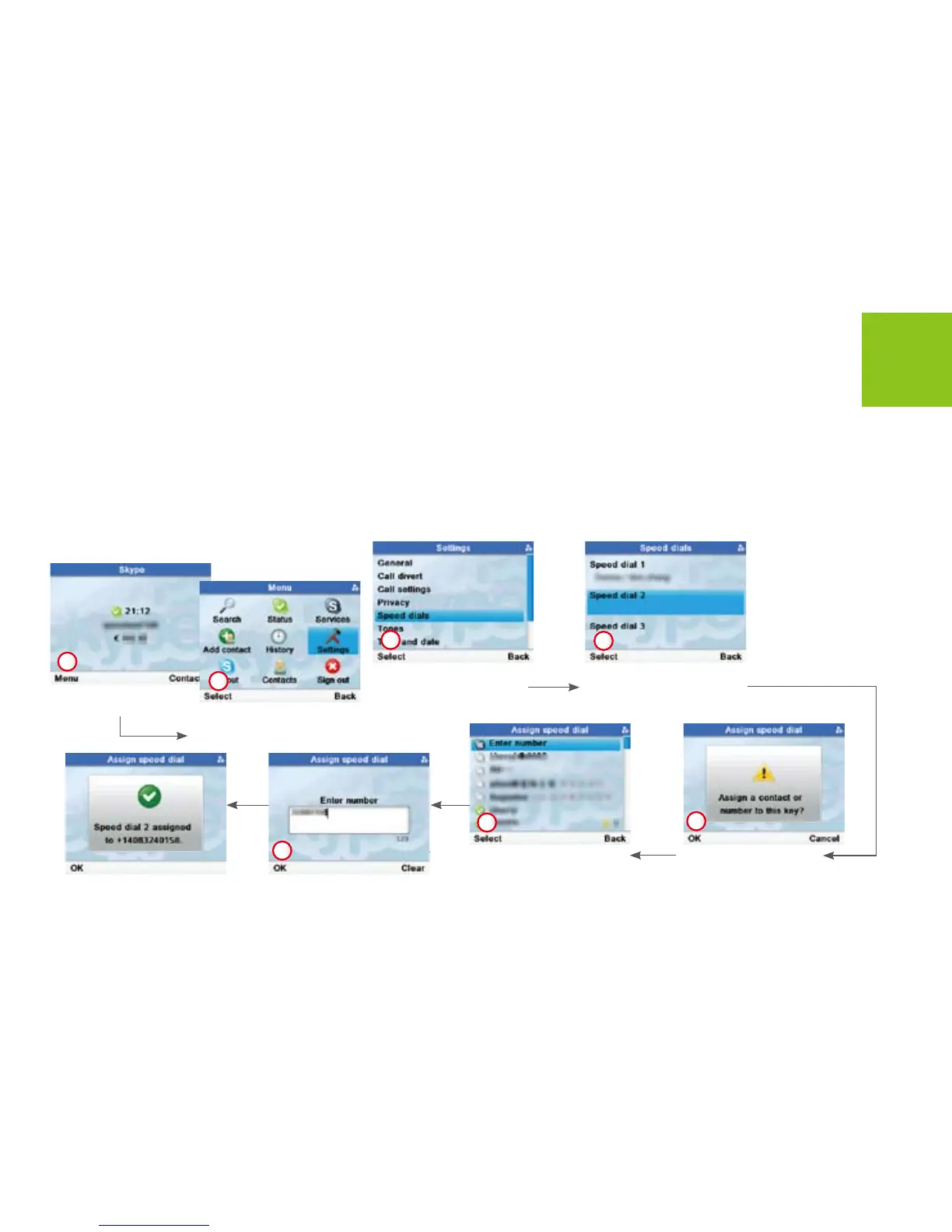
SOLO provide three speed dial buttons for 3 of your most frequently dialed numbers. To assign speed dial numbers
follows steps shown as below.
Press <Menu> to open
<Menu> menus.
Use [Right] button to
scroll to <Settings>.
Press <Select> to enter.
Use [Up] or [Down] button
to scroll to <Speed dials>.
Press <Select> to enter.
Use [Up] or [Down] button
to scroll to a Speed dial.
Press <Select> to enter.
Press <OK> to enter.Press <Select> to enter
number or assign a contact.
1
2
3
4
5
6
7



 To Next Page