029
Skype Calling
Skype Contacts
Searching & Add a contact
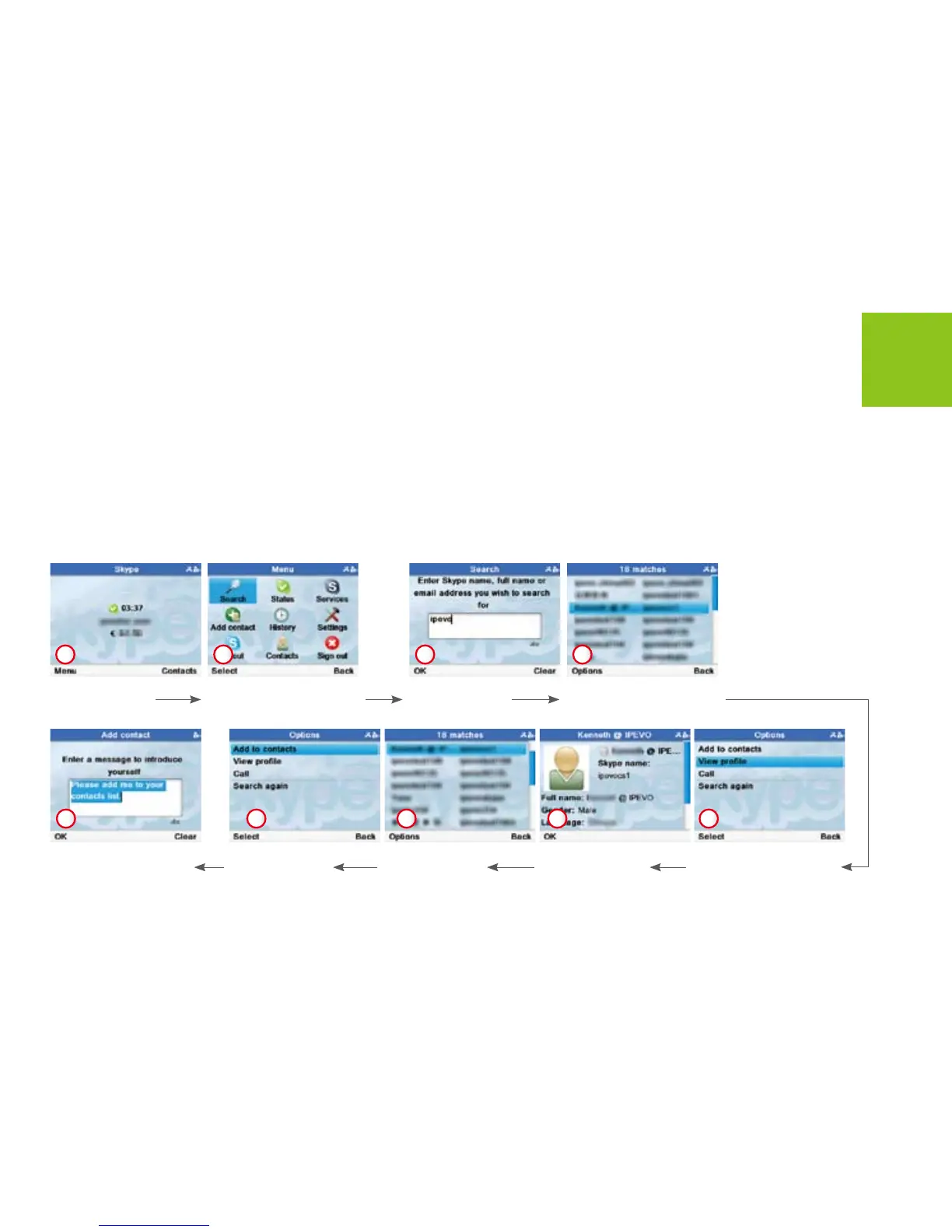
To add a Skype or SkypeOut Contact, follow these steps:
Use [Up] or [Down] button
to scroll to a name Press
<Options> to enter.
Press <Menu>
to open <Menu>
menus.
Enter the name
and press <OK>
to search.
Use [Down] button to
scroll to View prole.
Press <Select> to enter.
Use [Left] and [Up] buttons
to scroll to <Search>.
Press <Select> to enter.
Press <OK> to go
back the previous
menus.
Press <Select>
to enter.
Press <Options>
to enter.
1
Press <OK> . Skype will
send a request to the
contact for authorization.
9
2 3 4
8 7 6 5



 To Next Page