028
Dialing speed dial numbers
In standby mode, press to call,
Viewing missed calls
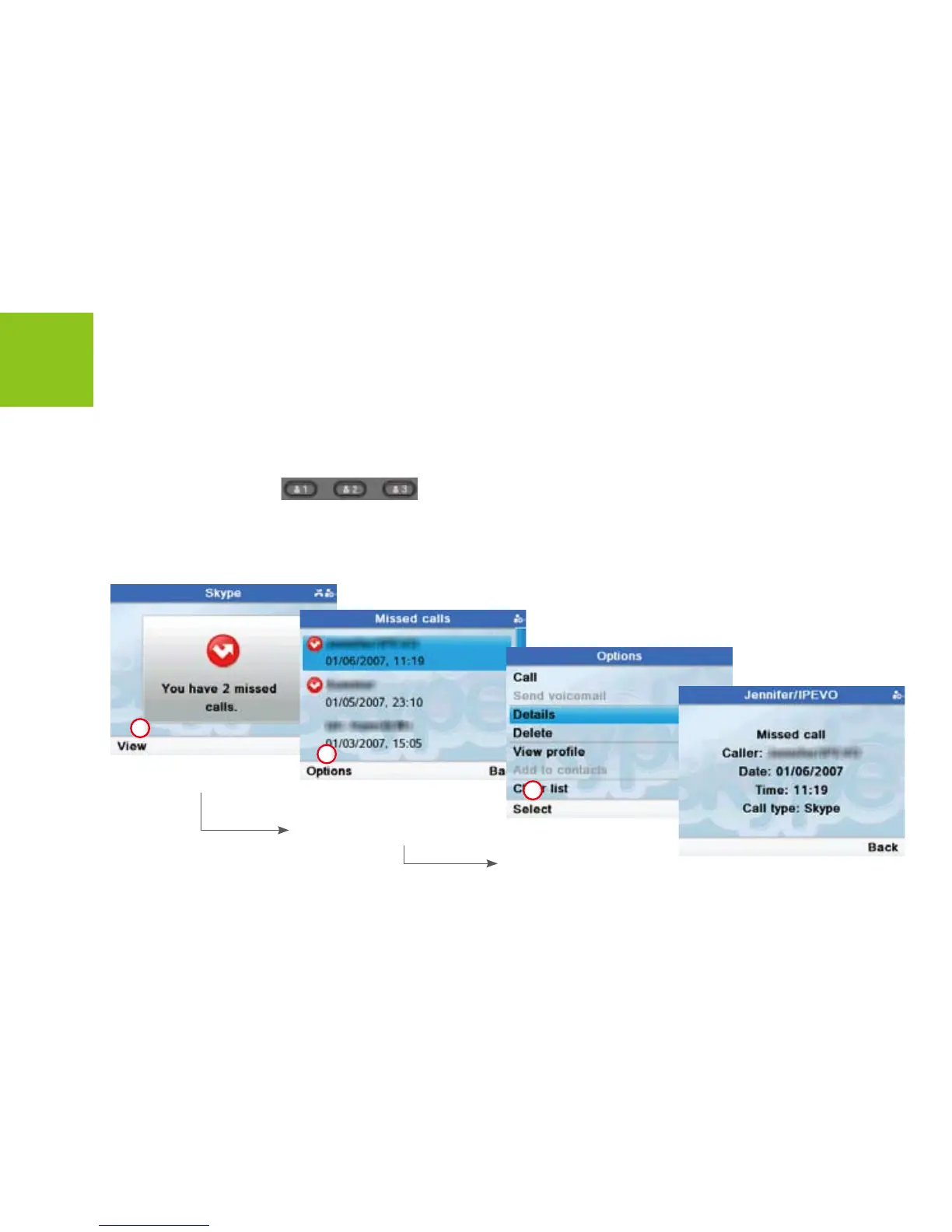
If you have missed calls, the screen displays how many calls you have missed.
Skype Calling
Use [Up] or [Down] button to
scroll to a missed call item. Press
<Options> to enter next menus.
Or press [Call] to return the call.
Use [Up] or [Down] button
to scroll to <Details>.
Press <Select> to view the
missed call details.
Press <View> to open
<Missed calls> menus.
1
2
3



 To Next Page