012
Setting Up your SOLO Phone
After you connect the power adapter to the electrical outlet, you are prompted to enter the basic settings for SOLO.
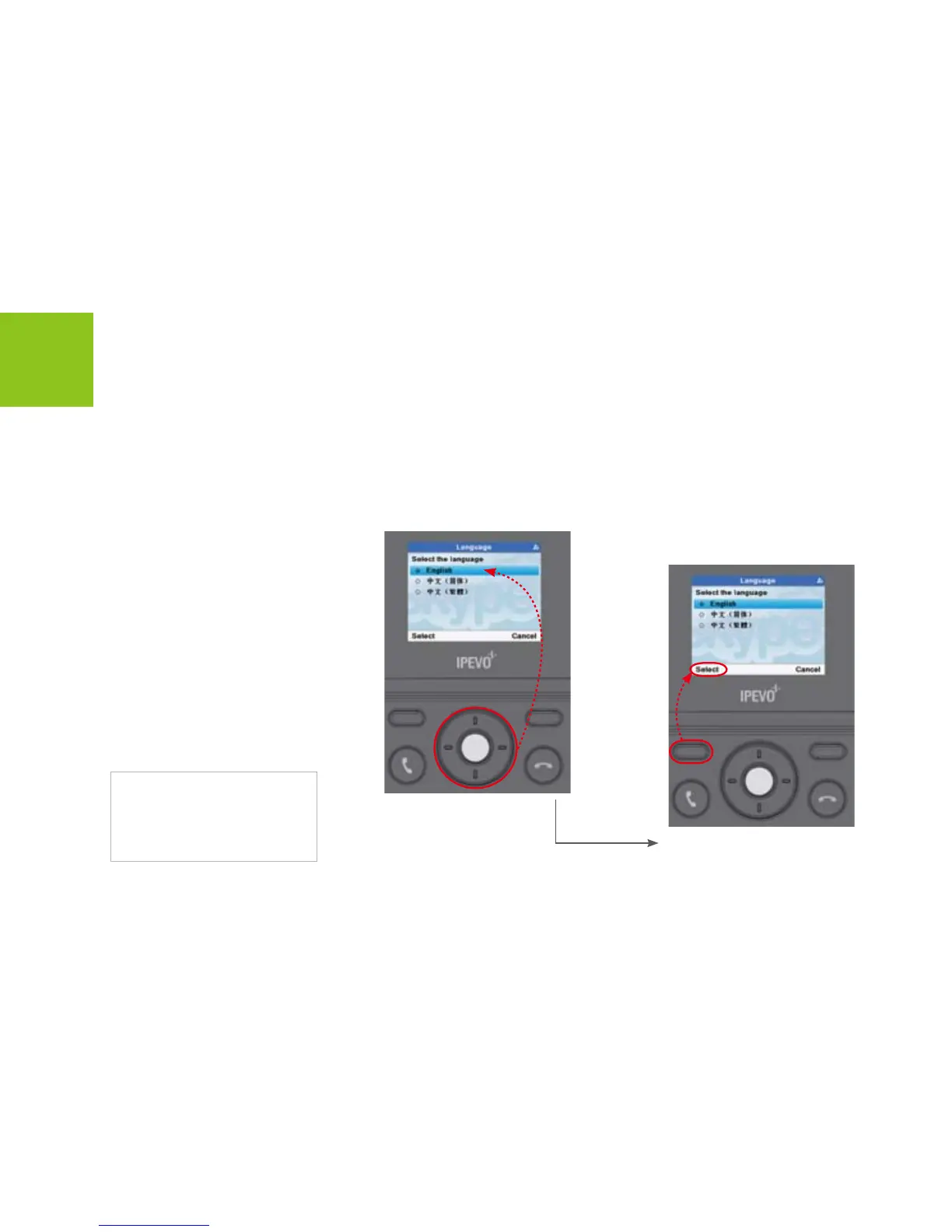
Select Language
Installation
Note:
If you want to change the language
setting later, please go to the Menu
SettingsGeneral Language
to change the language.
Press <Select> to enter
next menus.
Use [Up] or [Down] button
to scroll to a language.



 To Next Page