013
Installation
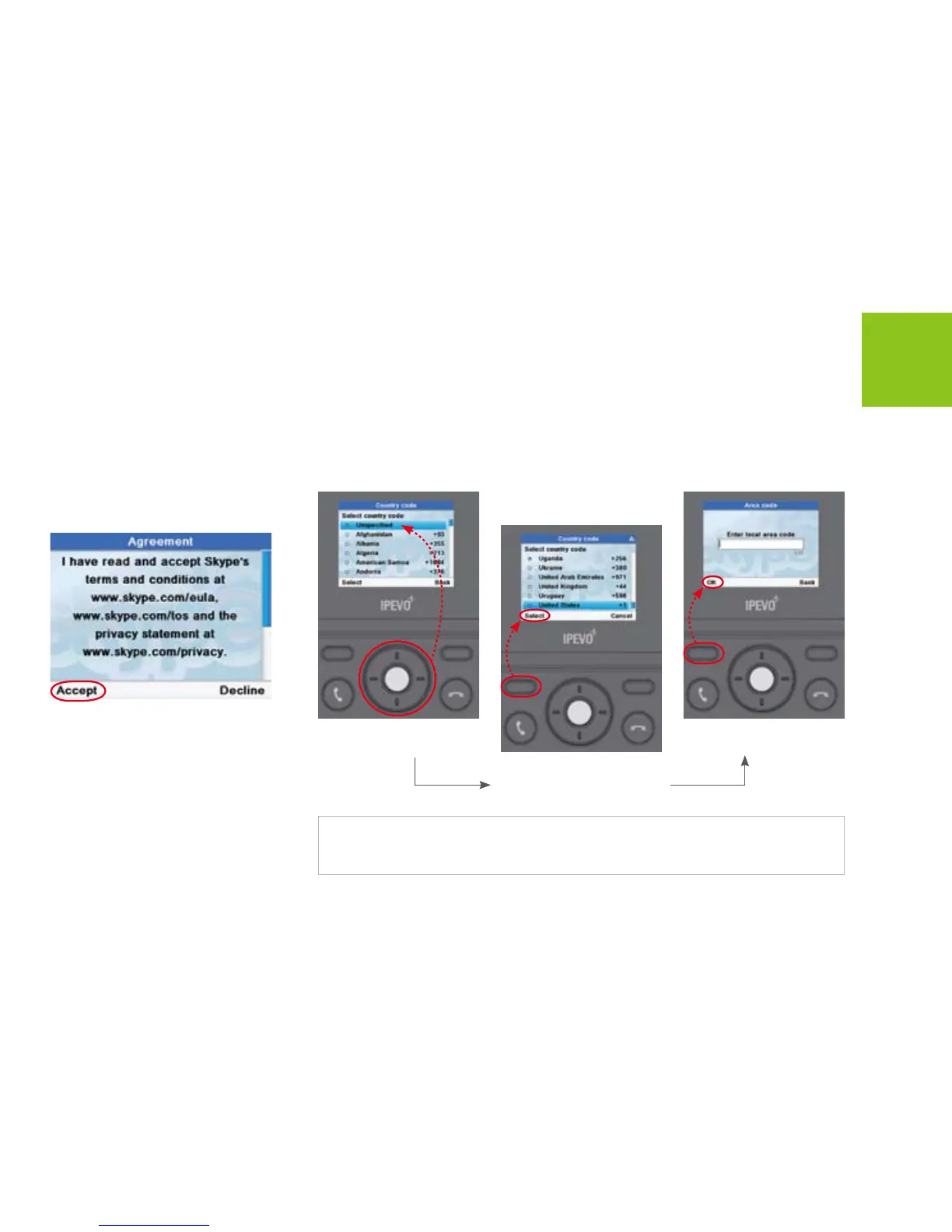
Agreement
Read and accept the Skype
Agreement.
Choose your Country and Area Code
Enter area code and press
<OK> to enter next menus.
Press <Select> to select the
highlighted item and enter
next menus.
Use [Up] or [Down] button
to scroll to a country.
Note:
If you want to change this settings later, please go to the MenuSettingsCall settings to
change the country and area code.



 To Next Page