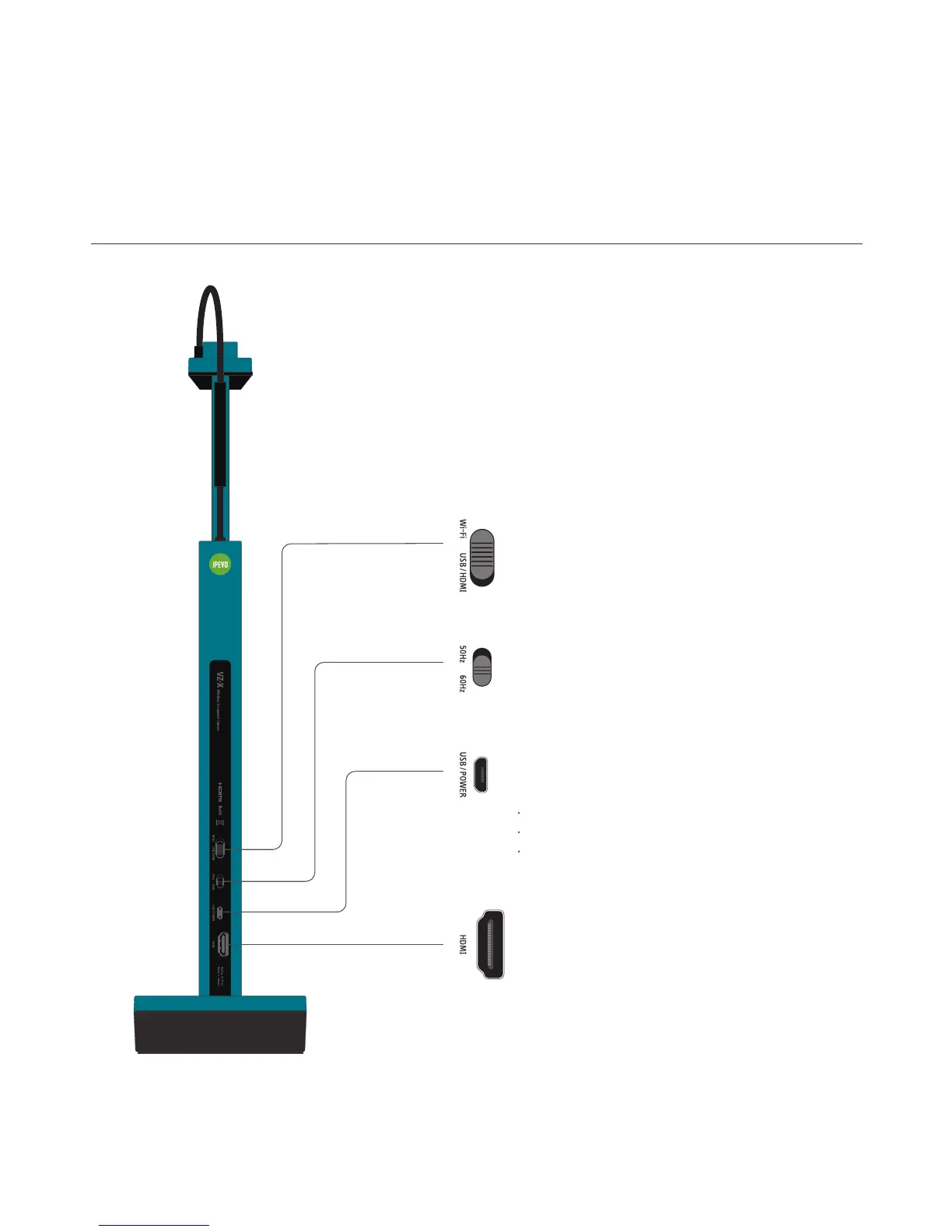
Mode Switch
Switch between Wi-Fi and USB/HDMI mode.
Micro-USB Port
Plug in the included Micro-USB cable here to:
Connect VZ-X to a computer for using in USB mode.
Provide power for VZ-X in HDMI mode.
Charge VZ-X’s battery.
HDMI Port
Connect your HDMI cable (not included) here.
5
Frequency Switch
Change the frequency to 50Hz or 60Hz.
Getting to Know Your VZ-X



 To Next Page