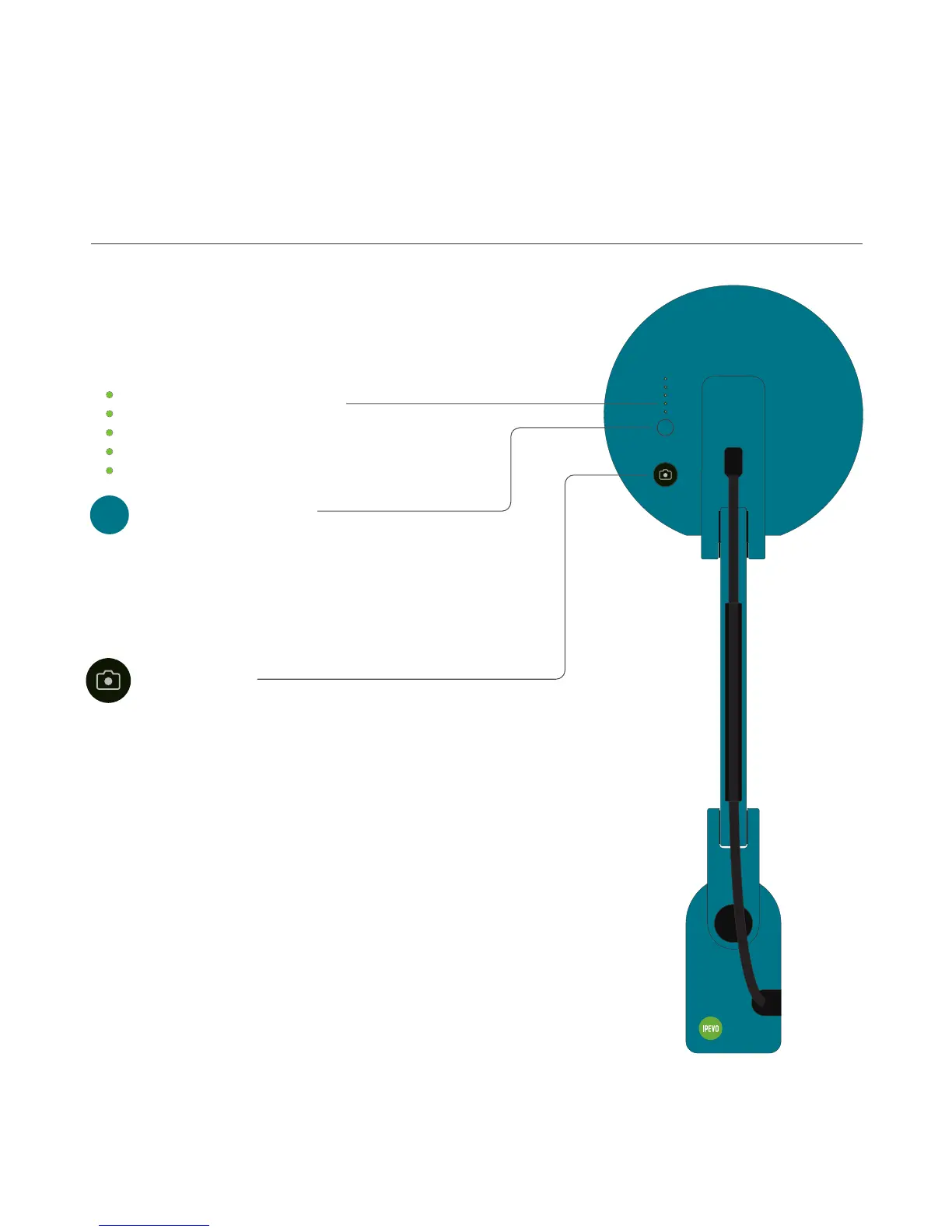
Action Button
Perform the primary function of the respective function
mode that is available in IPEVO Visualizer.
Note: The Action Button is functional in both Wi-Fi and USB modes.
You can check VZ-X’s battery level by pressing this.
Battery Check Button
Indicate the battery level or charging status.
All five indicators will light up Green when VZ-X is on a
full charge or has been fully recharged.
Battery Status Indicators
6
Getting to Know Your VZ-X



 To Next Page