DIAL-UP DATA -----------------------------------------------------------------------------------------------------WINDOWS 2000 SETUP
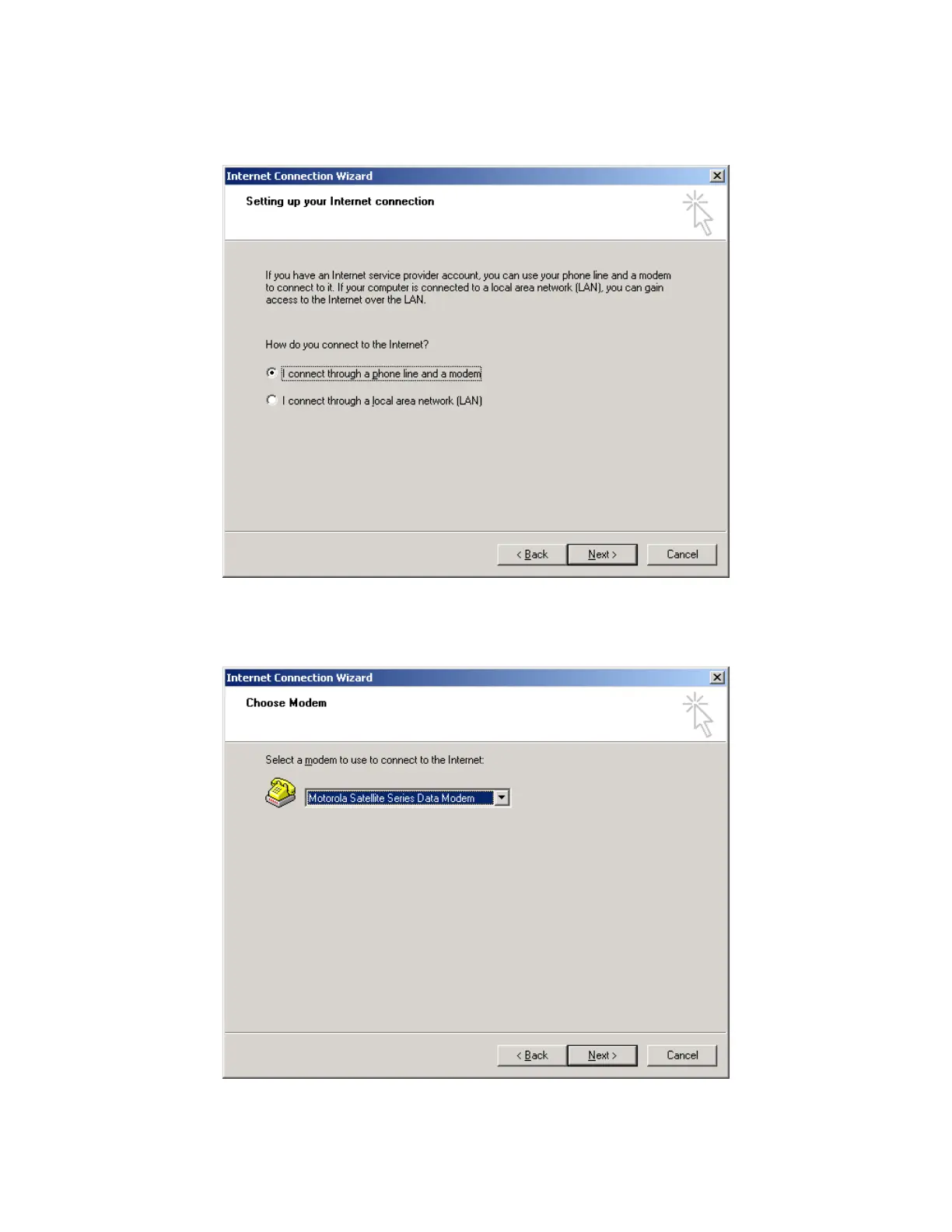
5. In the Internet Connection Wizard, select “I connect through a phone line and a modem.”
Click Next >.
6. The following Internet Connection Wizard window appears only if you have more than one
modem installed. If this window appears, choose the Motorola Satellite Series Data Modem
from the drop down list. Then, click Next >.
Iridium Satellite LLC 31 Rev. 4; February 1, 2002



 To Next Page