DIAL-UP DATA -----------------------------------------------------------------------------------------------------WINDOWS 2000 SETUP
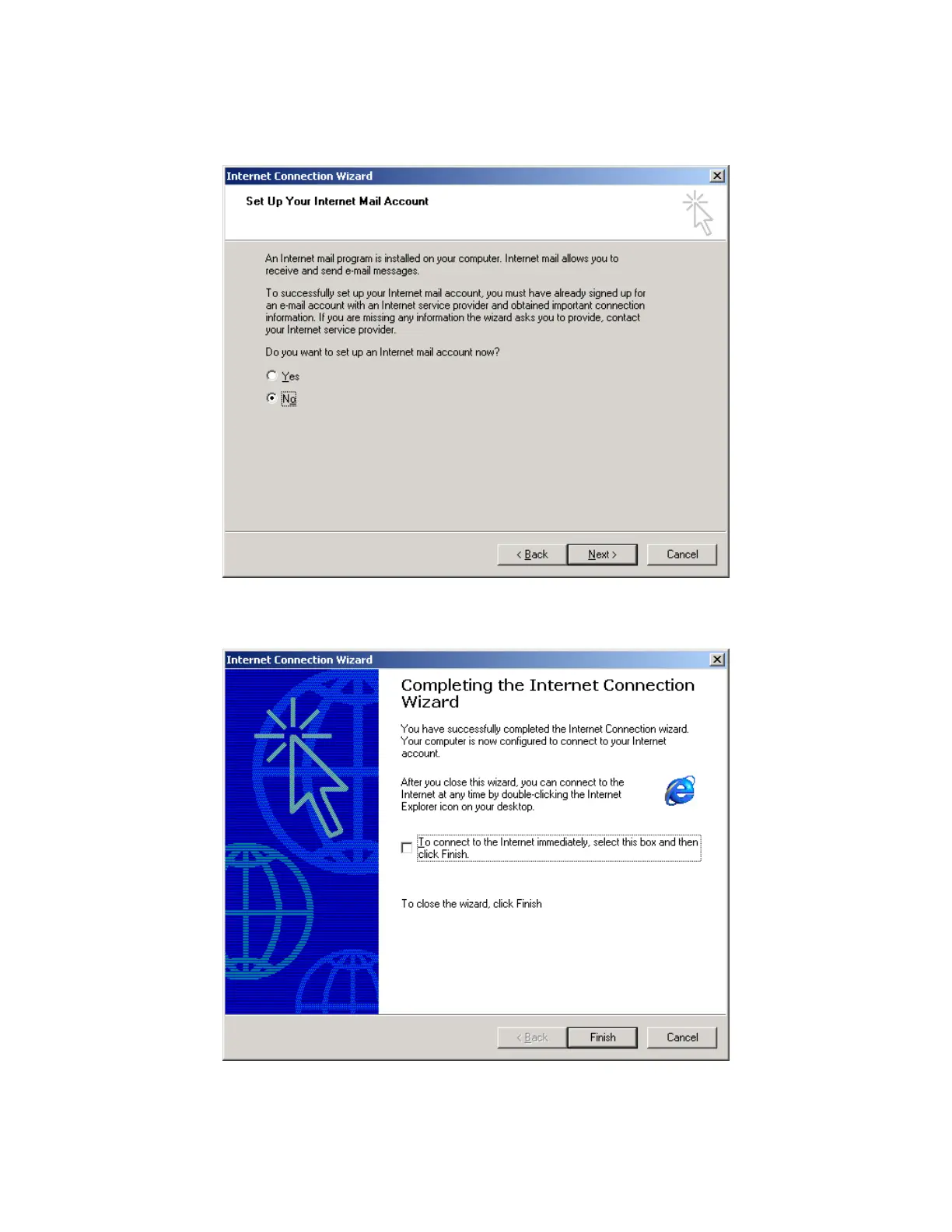
10. In the Internet Connection Wizard, if you have already configured your email (or you are not
using Microsoft Outlook), select “No.” Click Next >.
11. In the Internet Connection Wizard, de-select “To connect to the Internet immediately…”. Click
Finish to save your new connection.
Iridium Satellite LLC 34 Rev. 4; February 1, 2002



 To Next Page