DIAL-UP DATA -----------------------------------------------------------------------------------------------------WINDOWS 2000 SETUP
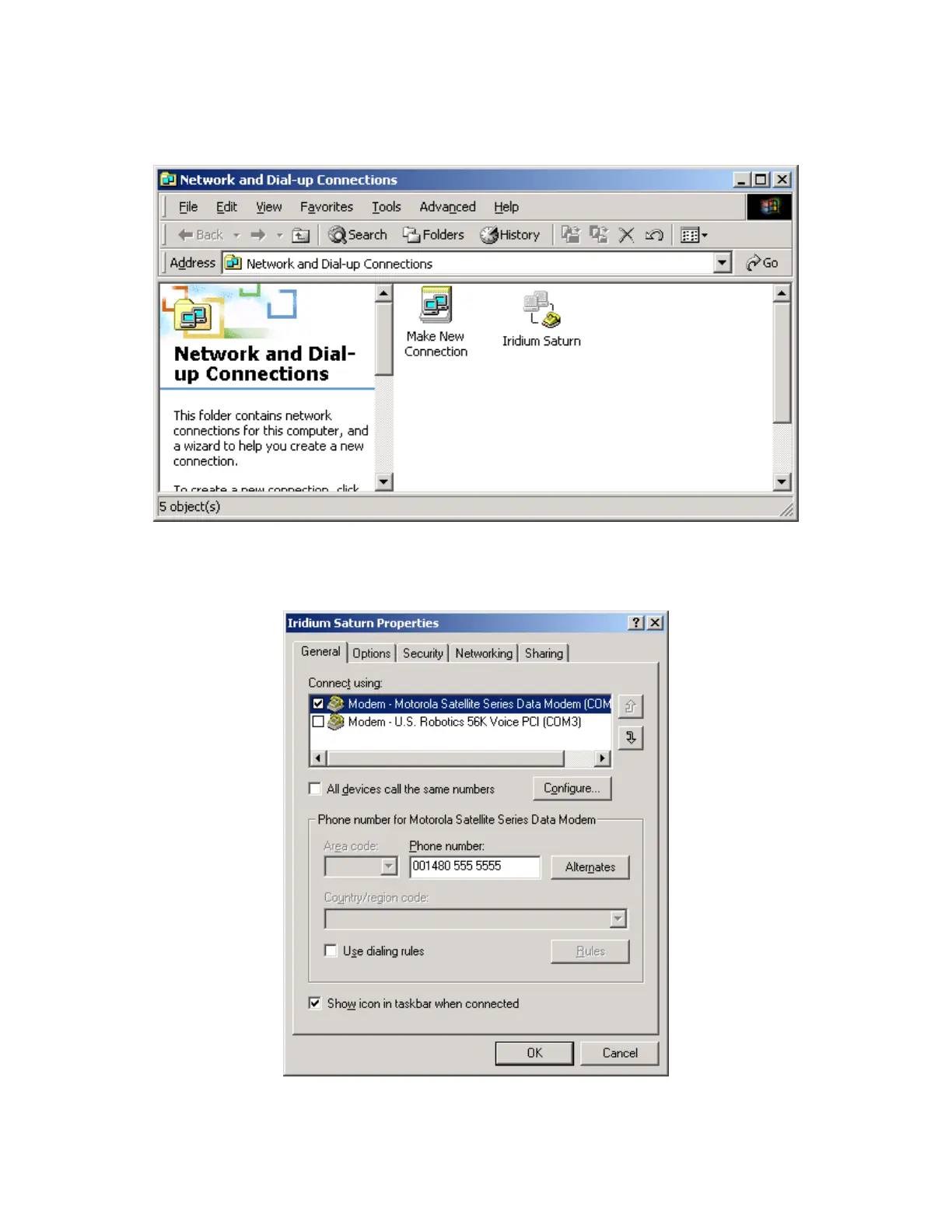
12. In the Dial-Up Networking window, right click on your new dial-up connection and select
Properties.
13. Upon selecting Properties, you will see the window below. Select the General tab, and verify
the settings with the figure below. Also, verify that you have entered the correct telephone
number. (Note that your telephone number should be seen in place of 001 480 555 5555).
Iridium Satellite LLC 35 Rev. 4; February 1, 2002



 To Next Page