22 Iridium GO! User Manual
4
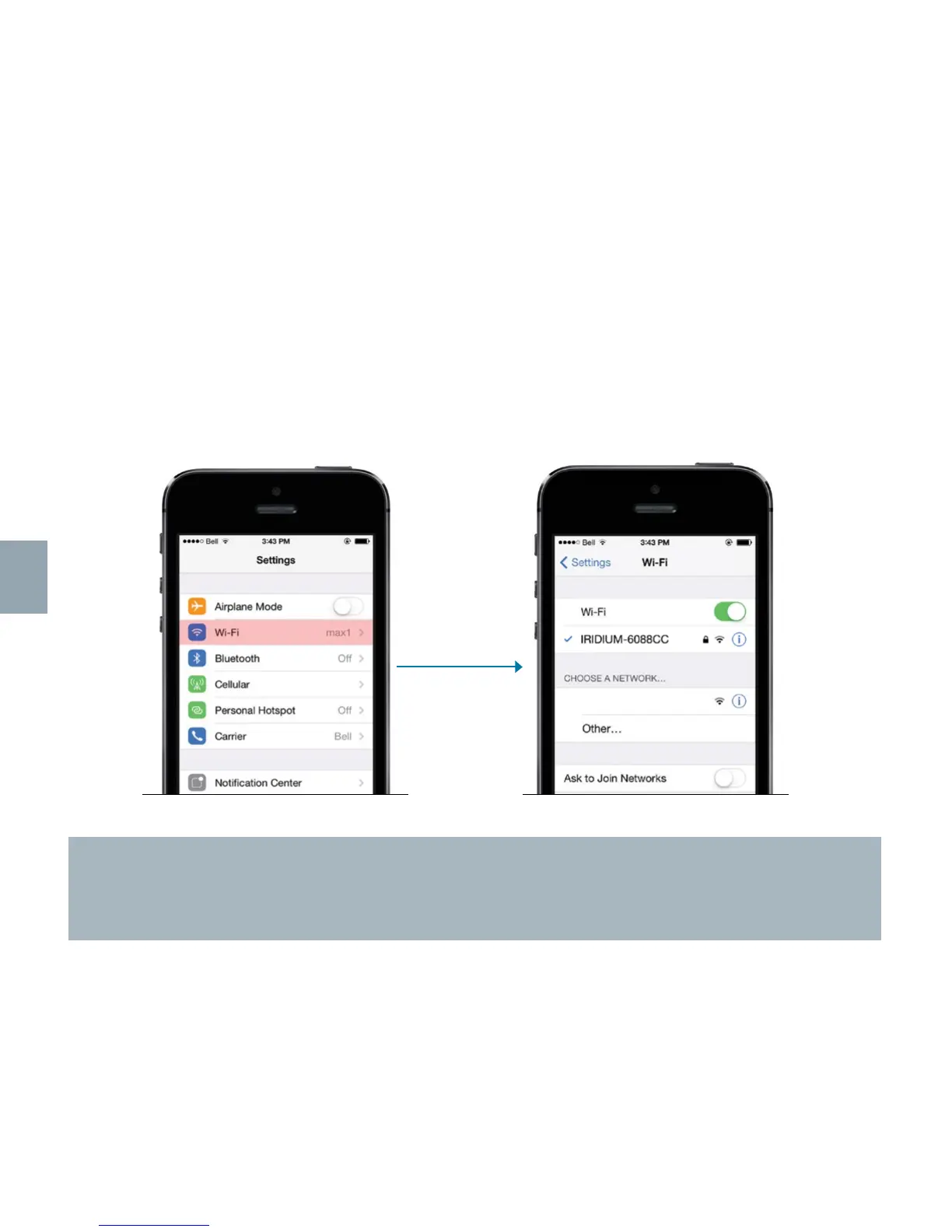
STEP THREE: Pair Iridium GO! with your smartphone
Iridium GO! provides a Wi-Fi (802.11g/n) access point connection with a range of approximately 30
meters (100 feet) depending on conditions. On your smartphone or tablet go to Wi-Fi settings and
ensure your Wi-Fi function is enabled. With the Iridium GO! device on, select the Iridium GO! Wi-Fi
network (ex. “Iridium-6088CC”) and connect. Once your device has connected, you can begin using
the Iridium GO! application.
TIP!
The Iridium GO! Wi-Fi is an open (visible) network with no password. Iridium GO! Wi-Fi can be
configured with a WPA2 password; see “Troubleshooting” in Chapter 6.
Important: Always confirm you are connected to your Iridium GO! Wi-Fi network prior to use of the Iridium GO! application.



 To Next Page