IPU 40108
Page 4 of 29
2.2 Powering the IRI 4010
The IRI 4010 thermal imager operates with a rechargeable battery, or from AC mains power.
2.2.1 Using Battery Power – Inserting the Battery
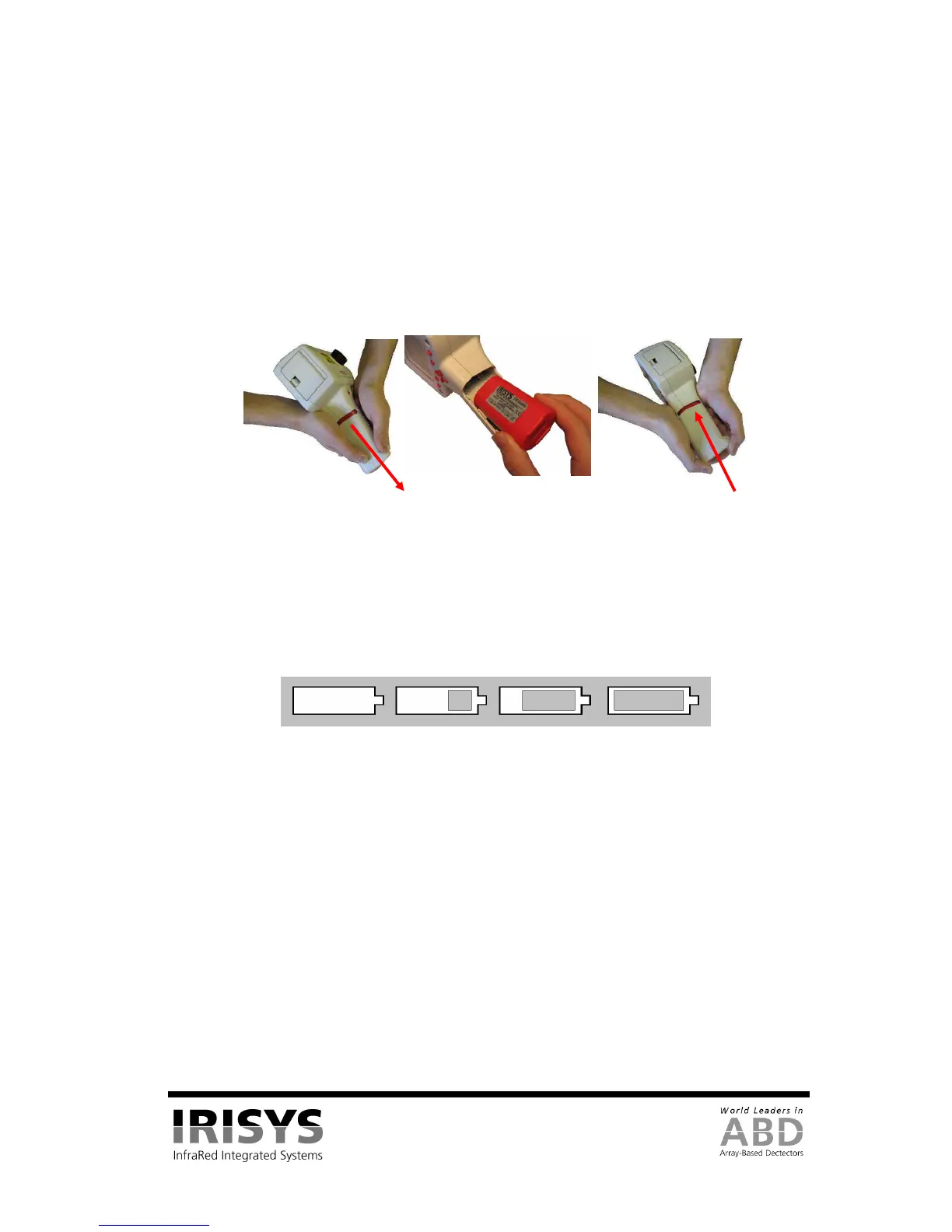
1. Open up the battery compartment on the bottom of the IRI 4010 thermal imager by sliding the
battery cover off as indicated in Figure 2.
2. Insert the rechargeable battery as shown below.
3. Replace the battery cover.
4. The above method also applies to replacing the battery, but make sure the IRI 4010 is switched off
before removing the battery.
Figure 2: Inserting the Rechargeable Battery.
NOTES:
• The rechargeable battery will power the IRI 4010 thermal imager for approximately 4 hours.
• The battery indicator appears on the screen when the imager is switched on. It has the following four stages and each
stage corresponds to approximately one hour of operation.
Figure 3: Battery Indicator Levels.
CAUTION: If the IRI 4010’s battery indicator flashes, the battery power is running low and it needs to be
charged or replaced within 10 minutes.
2.2.2 Using AC Mains Power
1. Make sure the thermal imager is turned off.
2. Connect the provided 12V power supply into the socket on the side of the IRI 4010 imager; see
Figure 4.
3. Attach the appropriate supplied regional adapter to the power supply.
4. Plug the power supply into a mains socket.
5. Switch on the thermal imager.
CAUTION: When using AC mains, use only the power supply included with the IRI 4010. Using other power
supplies may damage the IRI 4010 Thermal Imager.
NOTE:
• The mains power supply included with the IRI 4010 is for powering the IRI 4010; it will also recharge the battery
(see Section 2.2.3).
Replace Battery Cover


 To Next Page