Roomba Customer Support Booklet
Can’t find the answer to your support question? Call Roomba Customer Support at 1-877-855-8593 or email us at
roomba-support@irobot.com
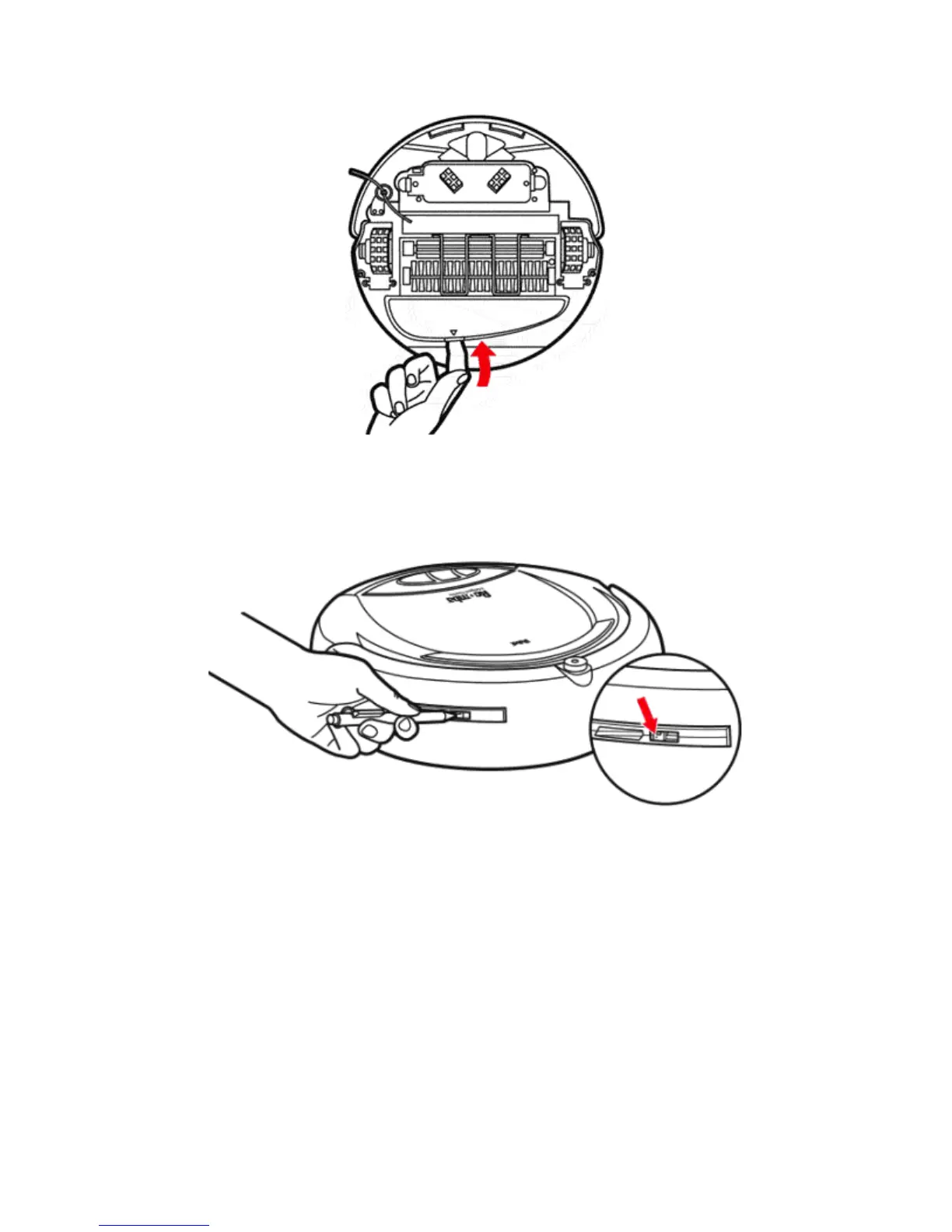
Removing the Vacuum Inlet Lid
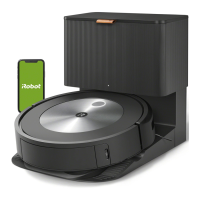
Adjusting how close or far from walls Roomba will follow
Use a pen to slide tab of wall follower to adjust. Tab is found in slot on the side of
bumper (see Figure). Push towards rear to make Roomba follow closer to walls.
Push towards front to make Roomba follow further from walls.
Using a pen to adjust how close or far away Roomba will follow walls.
Basic Charging Procedures
1. Turn Roomba off. Check that the Battery Pack is fully inserted.
2. Connect battery charger to the charger AC adapter and insert the battery
charger plug into the Roomba charge socket. It will only go in one way. Make
sure it is fully inserted. The wire from the plug should be pointing towards the
back of Roomba, not covering the power switch.
3. The charge indicator light on the charger should illuminate. If it does not
illuminate check all the connections. It will turn off when the Battery Pack is fully
charged.



 To Next Page