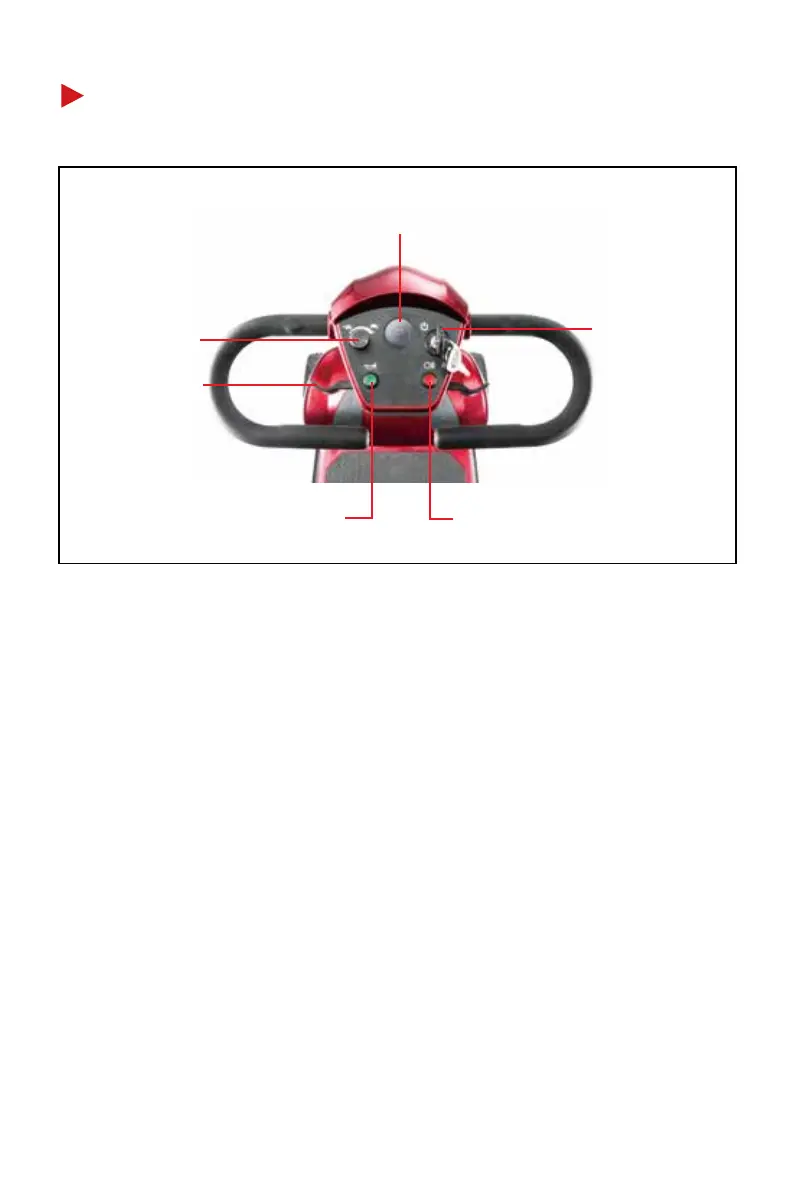
e. Horn switch
d. Headlight switch
b. Speed dial
f. Left throttle
control lever
a. Key switch
c. Battery indicator
03
a. Key switch
Turn the key to the “ON” position to turn on the scooter or to the
“OFF” position to turn off the scooter.
b. Speed dial
Turn clockwise to increase the maximum speed or counterclock-
wise to decrease the maximum speed.
c. Battery indicator
Turn on the scooter, and the indicator will show the battery level.
• The more lights, the higher the battery level.
• The fewer lights, the lower the battery level.
CONTROL PANEL


 To Next Page