EasyManua.ls Logo

ISDT K4 - User Manual

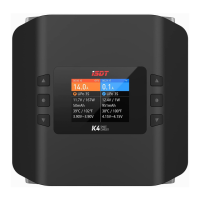
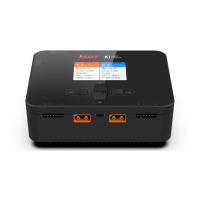
ISDT K4
3 pages
Print Icon
To Next Page IconTo Next Page
Loading...
Bedienungsanleitung
Question and Answer IconNeed help?

Do you have a question about the ISDT K4 and is the answer not in the manual?

Summary

Safety and Warnings

General Safety Precautions

Essential safety guidelines including avoiding unsupervised operation, fire hazards, and proper usage environment.

Preset Battery Parameters

Details on rated voltage, charge, discharge, and cell count for various battery types.

Port and Button Layout

Overview of physical ports and buttons, including key operation instructions under standby interface.

Product Specifications

Technical details such as model number, input/output voltage, current, power, and dimensions.

Charging Current Confirmation

Guidance on safely setting charging current based on battery C-value and capacity to prevent damage.

Charger Operation and Settings

Task Settings Overview

Instructions for setting charge, discharge, destroy, and storage tasks, including current ranges and balancing.

Charging Screen Information

Details on switching displayed information on the charging screen, such as cell voltage and internal resistance.

Advanced Settings Menu

Accessing advanced settings like Dual Task, Parallel Task, and DC Power mode via button combination.

System Settings Menu

Configuration options including input voltage protection, volume, USB charge, split screen, theme, trickle charge, self-test, and calibration.

Wireless Connection

Pairing the charger with a mobile device via Bluetooth using the ISDT GO App for remote control and monitoring.

Summary

Safety and Warnings

General Safety Precautions

Essential safety guidelines including avoiding unsupervised operation, fire hazards, and proper usage environment.

Preset Battery Parameters

Details on rated voltage, charge, discharge, and cell count for various battery types.

Port and Button Layout

Overview of physical ports and buttons, including key operation instructions under standby interface.

Product Specifications

Technical details such as model number, input/output voltage, current, power, and dimensions.

Charging Current Confirmation

Guidance on safely setting charging current based on battery C-value and capacity to prevent damage.

Charger Operation and Settings

Task Settings Overview

Instructions for setting charge, discharge, destroy, and storage tasks, including current ranges and balancing.

Charging Screen Information

Details on switching displayed information on the charging screen, such as cell voltage and internal resistance.

Advanced Settings Menu

Accessing advanced settings like Dual Task, Parallel Task, and DC Power mode via button combination.

System Settings Menu

Configuration options including input voltage protection, volume, USB charge, split screen, theme, trickle charge, self-test, and calibration.

Wireless Connection

Pairing the charger with a mobile device via Bluetooth using the ISDT GO App for remote control and monitoring.

ISDT K4 Specifications

General IconGeneral
Output Voltage1-30V
Charge Current0.1-20A
Operating Temperature0-40°C
Storage Temperature-20-60°C
Input Voltage10-30V
Balance Current1.5A
Battery TypesLiFe, LiIon, LiPo, LiHv, NiMH, NiCd, Pb
Cell CountLiFe, LiIon, LiPo, LiHV 1-6S

Related product manuals