Need help?
Do you have a question about the ISDT Q8 and is the answer not in the manual?
Essential safety guidelines for operating the charger safely and preventing damage or injury.
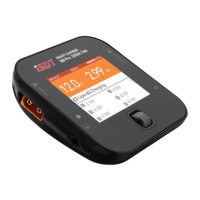
Details the various ports and buttons on the ISDT Q8 Smart Charger, including DC IN, BATTERY, USB, and Fan Vent.
Lists key specifications such as input/output voltage, current limits, maximum power, and supported battery types.
Table outlining recommended settings for different battery types like LiFe, Lilon, LiPo, LiHv, Pb, and NiMH/Cd.
Explains how to determine the correct charging current using the battery's C-value to prevent damage or overheating.
Instructions on powering on the charger, connecting the battery, and accessing the task setting menu.
Details on various charger tasks including Charge, Discharge, Storage, DC Power Supply, and Destroy functions.
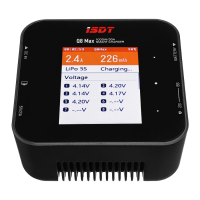
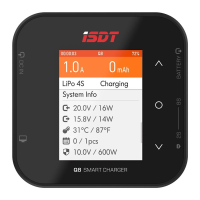
Explanation of the charging screen, including BattGo information, cell voltage, internal resistance, and working parameters.
Instructions on how to access and navigate the system setting menu for advanced configurations and calibration.
Configuration of minimum input voltage protection and maximum input power for stable charger operation.
Managing buzzer volume, performing self-tests, and calibrating charger voltages for accurate readings.
Mandatory safety instructions, including not leaving the charger unsupervised and avoiding charging non-rechargeable batteries.
 General
| Max Charge Power | 500W |
|---|---|
| Max Discharge Power | 15W |
| Charge Current Range | 0.1-20.0A |
| Cell Count | 1-8S |
| Operating Temperature | 0-40°C |
| Storage Temperature | -20-60°C |
| Battery Types | LiFe, LiIon, LiPo, LiHV, NiMH, NiCd, Pb |
| Display | 2.4 inch IPS LCD |
| Dimensions | 80x80x32mm |
| Interface | XT60 |
| Balance Current | 1.5A |

 To Next Page