EasyManua.ls Logo

ISDT D2 - User Manual

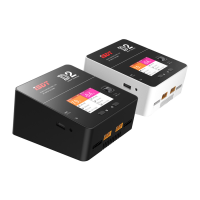
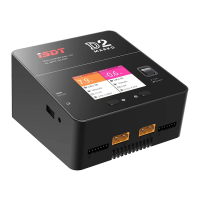
ISDT D2
19 pages
Print Icon
To Next Page IconTo Next Page
Loading...
E3!Tnbsu!Dibshfs
Pqfsbujoh!Jotusvdujpot
Wfs!2/2/2817
Question and Answer IconNeed help?

Do you have a question about the ISDT D2 and is the answer not in the manual?

Summary

Introduction to ISDT D2 Smart Charger

Warnings and Safety Tips

Unattended Operation and Abnormity Handling

Do not use the charger unattended; stop use if any functional abnormality is detected and refer to the manual.

Environmental Conditions and Placement

Keep charger away from dust, humidity, rain, high temp, direct sun, vibration. Use on heat-resisting, non-flammable surface.

Input Voltage and Heat Emission

Ensure AC 100-240V input and clear heat emission holes for proper cooling fan operation.

Battery Parameter Understanding and Risks

Fully understand battery characteristics and set parameters correctly to avoid damage, fire, or explosion.

Task Completion and Standby

Press speed shuttle key to terminate tasks. Remove battery when the charger shows the standby screen.

Product Parameters and Characteristics

Charger Component Identification

Identifies and labels all external ports and controls of the ISDT D2 charger, including AC input, USB, update port, and battery/balance ports.

Technical Specifications and Dimensions

Details the technical specifications of the D2 charger, including input voltage, charge/discharge current, power, supported battery types, dimensions, and weight.

Default Battery Type of Charger and Task Parameters

Battery Type and Parameter Defaults

Provides default voltage and current parameters for various battery types (NiCd/NiMH, Pb, LiFe, Lilon, LiPo, LiHv) and cell counts.

How to Confirm Charging Current

Calculating Maximum Charging Current

Explains how to determine the maximum charging current by multiplying battery capacity by its 'C' value, with safety limits for lithium batteries.

Task Setting

Task Setting Menu Options

Details the options available in the task setting menu, including task selection, battery type, cell voltage, cell count, and current settings.

Storage Functionality

Explains the charger's storage function, which automatically charges or discharges batteries to a set storage voltage for preservation.

Battery Activation and Restoration

Describes the activation and restoration function for excessively discharged batteries, using initial low currents and voltage adjustments.

Internal Resistance Measurement

Details the internal resistance measurement function, its application during balanced charging, and factors affecting its accuracy.

Charging Completion Indicators and Behavior

Explains the screen indicators (orange, green, blue) for charging status and voltage difference thresholds for completion and balancing.

Dual Channel Simultaneous Charging

Covers simultaneous charging of two batteries of the same type and cells, with power distribution of 50/50 from total power.

Dual Channel Power Distribution

Explains how power is distributed between channels during single and dual charging operations, including priority and automatic adjustments.

Operative Skills

Button Functions and Operation

Describes the use of the select button for adjusting current and entering menus, and the speed shuttle for quick stop or menu access.

Dual Channel Initiation

Explains how to initiate charging for two identical batteries simultaneously by pressing both select buttons.

Working Parameters Display

Display Information Overview

Details the information displayed on the charger screen, including task time, current, capacity, cell voltage, and battery type.

Navigating Display Information

Explains how to use the shuttle key to switch between displaying cell voltage, internal resistance, and working parameters.

System Default

System Settings Menu

Lists available system settings including Backlight, Volume, Completion Tone, Split Display, Language, Firmware Sharing, and System Self-checking.

Troubleshoot

Power On Self-Testing Errors

Addresses errors during power-on self-testing, including warning sounds and actions to take when connected to power or battery.

Abnormal Battery Connection Errors

Provides steps for resolving errors related to abnormal battery connections, checking for oxidized or burned metal parts.

Product Qualification Declaration

Compliance and Testing Standards

Declares conformity to relevant EC commands and lists testing standards like EN 61000-6-3:2007.

Electronic Product Disposal

Provides guidance on the proper disposal of electronic products, advising recycling or designated collection centers.

Summary

Introduction to ISDT D2 Smart Charger

Warnings and Safety Tips

Unattended Operation and Abnormity Handling

Do not use the charger unattended; stop use if any functional abnormality is detected and refer to the manual.

Environmental Conditions and Placement

Keep charger away from dust, humidity, rain, high temp, direct sun, vibration. Use on heat-resisting, non-flammable surface.

Input Voltage and Heat Emission

Ensure AC 100-240V input and clear heat emission holes for proper cooling fan operation.

Battery Parameter Understanding and Risks

Fully understand battery characteristics and set parameters correctly to avoid damage, fire, or explosion.

Task Completion and Standby

Press speed shuttle key to terminate tasks. Remove battery when the charger shows the standby screen.

Product Parameters and Characteristics

Charger Component Identification

Identifies and labels all external ports and controls of the ISDT D2 charger, including AC input, USB, update port, and battery/balance ports.

Technical Specifications and Dimensions

Details the technical specifications of the D2 charger, including input voltage, charge/discharge current, power, supported battery types, dimensions, and weight.

Default Battery Type of Charger and Task Parameters

Battery Type and Parameter Defaults

Provides default voltage and current parameters for various battery types (NiCd/NiMH, Pb, LiFe, Lilon, LiPo, LiHv) and cell counts.

How to Confirm Charging Current

Calculating Maximum Charging Current

Explains how to determine the maximum charging current by multiplying battery capacity by its 'C' value, with safety limits for lithium batteries.

Task Setting

Task Setting Menu Options

Details the options available in the task setting menu, including task selection, battery type, cell voltage, cell count, and current settings.

Storage Functionality

Explains the charger's storage function, which automatically charges or discharges batteries to a set storage voltage for preservation.

Battery Activation and Restoration

Describes the activation and restoration function for excessively discharged batteries, using initial low currents and voltage adjustments.

Internal Resistance Measurement

Details the internal resistance measurement function, its application during balanced charging, and factors affecting its accuracy.

Charging Completion Indicators and Behavior

Explains the screen indicators (orange, green, blue) for charging status and voltage difference thresholds for completion and balancing.

Dual Channel Simultaneous Charging

Covers simultaneous charging of two batteries of the same type and cells, with power distribution of 50/50 from total power.

Dual Channel Power Distribution

Explains how power is distributed between channels during single and dual charging operations, including priority and automatic adjustments.

Operative Skills

Button Functions and Operation

Describes the use of the select button for adjusting current and entering menus, and the speed shuttle for quick stop or menu access.

Dual Channel Initiation

Explains how to initiate charging for two identical batteries simultaneously by pressing both select buttons.

Working Parameters Display

Display Information Overview

Details the information displayed on the charger screen, including task time, current, capacity, cell voltage, and battery type.

Navigating Display Information

Explains how to use the shuttle key to switch between displaying cell voltage, internal resistance, and working parameters.

System Default

System Settings Menu

Lists available system settings including Backlight, Volume, Completion Tone, Split Display, Language, Firmware Sharing, and System Self-checking.

Troubleshoot

Power On Self-Testing Errors

Addresses errors during power-on self-testing, including warning sounds and actions to take when connected to power or battery.

Abnormal Battery Connection Errors

Provides steps for resolving errors related to abnormal battery connections, checking for oxidized or burned metal parts.

Product Qualification Declaration

Compliance and Testing Standards

Declares conformity to relevant EC commands and lists testing standards like EN 61000-6-3:2007.

Electronic Product Disposal

Provides guidance on the proper disposal of electronic products, advising recycling or designated collection centers.

ISDT D2 Specifications

General IconGeneral
Control typeButtons
Suitable forHousehold battery
Power source typeAC
USB ports quantity1
Power protection featuresOver voltage, Overload, Short circuit
Number of batteries supported-
Compatible battery technologiesLithium Iron Phosphate (LiFePo4), Lithium Polymer (LiPo), Lithium-Ion (Li-Ion), Nickel-Metal Hydride (NiMH)
Product colorBlack
Built-in displayYes
Display diagonal2.4 \
Display resolution320 x 240 pixels
Display technologyLCD
Quantity per pack1 pc(s)
Input current12 A
Input voltage100-240 V
Output current2000 mA
Charging current24 A
USB output current2 A
USB output voltage5 V
Power consumption (typical)200 W
Batteries includedNo
Storage temperature (T-T)-20 - 60 °C
Operating temperature (T-T)0 - 40 °C
USB 2.0 ports quantityUSB 2.0 ports have a data transmission speed of 480 Mbps, and are backwards compatible with USB 1.1 ports. You can connect all kinds of peripheral devices to them.
Weight and Dimensions IconWeight and Dimensions
Depth120 mm
Width108 mm
Height70 mm
Weight558 g

Related product manuals