EasyManua.ls Logo

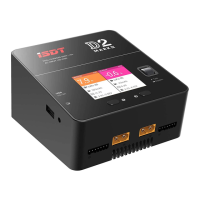
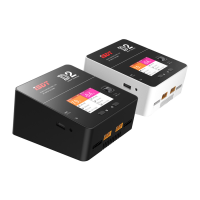
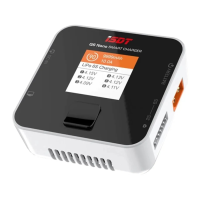
ISDT D2 Smart Charger - User Manual

ISDT D2 Smart Charger
18 pages
Print Icon
To Next Page IconTo Next Page
Loading...
D2 Smart Charger
Operating Instructions
Ver 1.1.1706
Question and Answer IconNeed help?

Do you have a question about the ISDT D2 Smart Charger and is the answer not in the manual?

Summary

Warnings and Safety Tips

General Safety Precautions

Essential safety tips including unattended use, environmental conditions, and proper placement.

Voltage and Parameter Safety

Ensuring correct input voltage and understanding charging parameters to prevent damage.

Product Parameters and Characteristics

Charger Specifications

Details on input voltage, charge/discharge current, power, supported battery types, and dimensions.

Default Battery Type and Task Parameters

Default Battery Configurations

Table detailing rated voltage, charge/storage/discharge voltage for various battery types.

Charging Parameter Guidelines

Advice on selecting parameters for different battery types to prevent damage or explosion.

Task Setting

Task Setting Menu Overview

Accessing and navigating the task setting menu for charge, discharge, and storage parameters.

Troubleshoot

Handling Self-Testing Errors

Procedure for resolving errors during the charger's initial self-testing phase.

Resolving Battery Connection Issues

Steps to resolve issues related to abnormal battery connections, checking for oxidation or damage.

Summary

Warnings and Safety Tips

General Safety Precautions

Essential safety tips including unattended use, environmental conditions, and proper placement.

Voltage and Parameter Safety

Ensuring correct input voltage and understanding charging parameters to prevent damage.

Product Parameters and Characteristics

Charger Specifications

Details on input voltage, charge/discharge current, power, supported battery types, and dimensions.

Default Battery Type and Task Parameters

Default Battery Configurations

Table detailing rated voltage, charge/storage/discharge voltage for various battery types.

Charging Parameter Guidelines

Advice on selecting parameters for different battery types to prevent damage or explosion.

Task Setting

Task Setting Menu Overview

Accessing and navigating the task setting menu for charge, discharge, and storage parameters.

Troubleshoot

Handling Self-Testing Errors

Procedure for resolving errors during the charger's initial self-testing phase.

Resolving Battery Connection Issues

Steps to resolve issues related to abnormal battery connections, checking for oxidation or damage.

ISDT D2 Smart Charger Specifications

General IconGeneral
BrandISDT
ModelD2 Smart Charger
CategoryBattery Charger
LanguageEnglish

Related product manuals