EasyManua.ls Logo

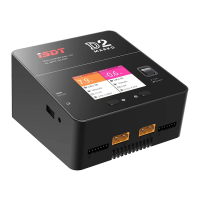
ISDT P30 - User Manual

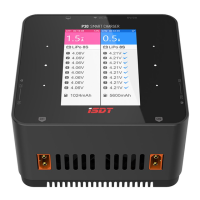
ISDT P30
7 pages
Print Icon
To Next Page IconTo Next Page
Loading...
USER GUIDE
P30
DUAL CHANNEL
SMART CHARGER
Question and Answer IconNeed help?

Do you have a question about the ISDT P30 and is the answer not in the manual?

Summary

Warnings and Safety Tips

Port; Key

Key operation instructions

Instructions for using the touch keys to navigate the charger's interface and settings.

Operating the Charger

Charge

Details on the charging process, including recommended practices and current settings.

Discharge

Information regarding the discharge function, including setting ranges and usage.

Storage

Guidance on using the storage function for batteries, including current settings.

Destroy

Instructions for the battery destruction function, used for safely discharging batteries to 0V.

Charging Screen

Explanation of information displayed on the charging screen and how to navigate it.

Advanced Settings

Paralled task

Enables outputting Max Power to a single battery using a splitter or Y-cable.

DC power (CH1)

Configures Channel 1 to function as a DC power supply with adjustable voltage and current.

System setting

Accesses system-level configurations like input voltage protection, max input power, BattGo, and volume.

Wireless connection

Connects the charger to a mobile device via Bluetooth for parameter control and task management.

Touch slider

Enables quick operations by sliding on the touch board interface.

Split screen

Allows switching between single-channel and dual-channel display modes.

Self-test

Performs a manual self-test of the charger's functions when batteries are not connected.

Calibration

Allows calibration of input voltage, output voltage, and balance voltage.

App download

Provides QR codes for downloading the ISDT companion app on various platforms.

Summary

Warnings and Safety Tips

Port; Key

Key operation instructions

Instructions for using the touch keys to navigate the charger's interface and settings.

Operating the Charger

Charge

Details on the charging process, including recommended practices and current settings.

Discharge

Information regarding the discharge function, including setting ranges and usage.

Storage

Guidance on using the storage function for batteries, including current settings.

Destroy

Instructions for the battery destruction function, used for safely discharging batteries to 0V.

Charging Screen

Explanation of information displayed on the charging screen and how to navigate it.

Advanced Settings

Paralled task

Enables outputting Max Power to a single battery using a splitter or Y-cable.

DC power (CH1)

Configures Channel 1 to function as a DC power supply with adjustable voltage and current.

System setting

Accesses system-level configurations like input voltage protection, max input power, BattGo, and volume.

Wireless connection

Connects the charger to a mobile device via Bluetooth for parameter control and task management.

Touch slider

Enables quick operations by sliding on the touch board interface.

Split screen

Allows switching between single-channel and dual-channel display modes.

Self-test

Performs a manual self-test of the charger's functions when batteries are not connected.

Calibration

Allows calibration of input voltage, output voltage, and balance voltage.

App download

Provides QR codes for downloading the ISDT companion app on various platforms.

ISDT P30 Specifications

General IconGeneral
Output Voltage1-30V
Operating Temperature0-40°C
Discharge Power50W
Balance Current1.5A per cell
Battery TypesLiFe, LiIon, LiPo, NiMH, NiCd, Pb
Display2.4\" LCD
Max. Discharge Power50W
Supported Battery TypeLiFe, LiIon, LiPo, LiHv, NiMH, NiCd, Pb
Storage Temperature-20-60°C
Cell Count1-8S

Related product manuals