EasyManua.ls Logo

ISDT C4 evo - User Manual

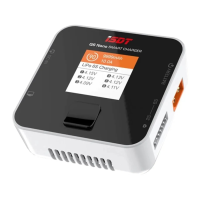
ISDT C4 evo
14 pages
Print Icon
To Next Page IconTo Next Page
Loading...
使用说明
Question and Answer IconNeed help?

Do you have a question about the ISDT C4 evo and is the answer not in the manual?

Summary

Charger Interface and Controls

Interactive Keys

Description of the touch-sensitive control buttons on the charger.

High-Resolution Display

Details the IPS display's features, viewing angle, and information clarity.

Battery Compartments

Information on the slots designed for different battery sizes and types.

Power and Data Port

Information about the TYPE-C port for power input and firmware updates.

Technical Specifications

Battery Support Details

Covers battery counts, sizes, types, and operating voltage range.

Operational Capabilities

Lists charging/discharging current, modes, display resolution, and sound features.

Task Execution Modes

Automatic Charging Process

How the charger automatically starts charging after detecting inserted batteries.

Manual Task Configuration

Guides on manually adjusting battery settings like type, task, and current.

Battery Management Functions

Battery Chemistry Identification

Procedures for confirming and selecting battery types and their default parameters.

Safe Charging Current

Guidance on determining and setting optimal charging currents to protect batteries.

Storage and Cycle Modes

Explanation of how Storage and Cycle functions aid battery maintenance.

Advanced Battery Analysis and Protection

Performance Analysis Function

How to use the analysis function to assess battery performance and capacity.

Activation and Resistance Measurement

Describes battery activation and internal resistance measurement processes.

Task Completion and Protection

Information on task completion indicators and battery protection features.

System Settings Menu

Audio and Display Options

How to adjust volume, brightness, and theme settings.

Advanced Features Configuration

Settings for capacity limits, activate charging, language, and system information.

Summary

Charger Interface and Controls

Interactive Keys

Description of the touch-sensitive control buttons on the charger.

High-Resolution Display

Details the IPS display's features, viewing angle, and information clarity.

Battery Compartments

Information on the slots designed for different battery sizes and types.

Power and Data Port

Information about the TYPE-C port for power input and firmware updates.

Technical Specifications

Battery Support Details

Covers battery counts, sizes, types, and operating voltage range.

Operational Capabilities

Lists charging/discharging current, modes, display resolution, and sound features.

Task Execution Modes

Automatic Charging Process

How the charger automatically starts charging after detecting inserted batteries.

Manual Task Configuration

Guides on manually adjusting battery settings like type, task, and current.

Battery Management Functions

Battery Chemistry Identification

Procedures for confirming and selecting battery types and their default parameters.

Safe Charging Current

Guidance on determining and setting optimal charging currents to protect batteries.

Storage and Cycle Modes

Explanation of how Storage and Cycle functions aid battery maintenance.

Advanced Battery Analysis and Protection

Performance Analysis Function

How to use the analysis function to assess battery performance and capacity.

Activation and Resistance Measurement

Describes battery activation and internal resistance measurement processes.

Task Completion and Protection

Information on task completion indicators and battery protection features.

System Settings Menu

Audio and Display Options

How to adjust volume, brightness, and theme settings.

Advanced Features Configuration

Settings for capacity limits, activate charging, language, and system information.

ISDT C4 evo Specifications

General IconGeneral
BrandISDT
ModelC4 evo
CategoryBattery Charger
LanguageEnglish

Related product manuals