Need help?
Do you have a question about the ISDT Q6 Nano and is the answer not in the manual?
Describes how to use the three-way navigation key for screen scrolling and menu access.
Details on minimum input voltage protection settings to prevent battery discharge.
Configuring maximum input power to ensure stable charger operation.
Allows shielding of operation sounds, except warning error beeps.
Procedures for self-testing and calibrating charger voltages.
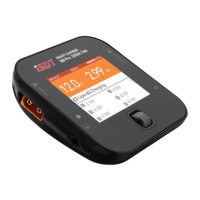
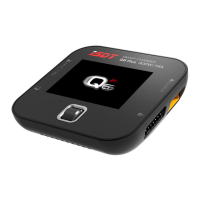
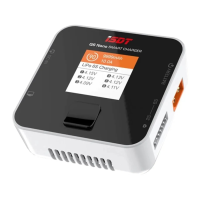
The ISDT Q6 Nano Smart Charger is a compact and intelligent charging device designed for various battery types, offering a range of functions to ensure safe and efficient power management. This instruction manual provides a comprehensive overview of its features, operational guidelines, and safety precautions, ensuring users can maximize its potential while maintaining battery health and personal safety.
The Q6 Nano Smart Charger serves as a versatile battery management tool, capable of performing several key functions:
Charging: The primary function of the device is to charge batteries. It supports a wide range of battery chemistries, including LiFe, Lilon, LiPo, LiHv (1-6S), Pb (1-12S), and NiMH/Cd (1-16S). A crucial feature for LiPo batteries is the strong recommendation to use the balancing port during charging. This allows the charger to monitor the voltage of each individual cell and balance them, which is vital for the longevity and safety of LiPo packs. If a LiPo battery is charged without the balance port connected, the charger will emit a warning beep to alert the user. The charging current can be set within a range of 0.1A to 8.0A. When a BattGo battery is connected, the charger intelligently auto-sets the battery type, cell count, and charging current, simplifying the setup process for compatible batteries.
Discharging: Beyond charging, the Q6 Nano can also discharge batteries. This function is useful for preparing batteries for storage or for cycling them to maintain their health. The discharge current can be set from 0.1A to 1.0A. Similar to charging, when a BattGo battery is connected, the device automatically configures the battery type, cell count, and discharging current.
DC Power Supply: A unique and practical feature of the Q6 Nano is its ability to function as a DC power supply. In this mode, users can adjust the output voltage from 2.0V to 30.0V and the current from 0.2A to 5.0A. This allows the charger to power other devices or perform tasks that require a stable DC power source. In this specific task, battery type, parameters, and current are not optional, as the device is acting as a general power supply rather than a battery charger.
Storage: The storage function is designed to bring batteries to an optimal voltage level for long-term storage, which helps to preserve battery health and extend their lifespan. The storage current can be set within a range of 0.1A to 8.0A. As with other functions, connecting a BattGo battery enables the automatic setting of battery type, cell count, and storage current.
Destroy: For batteries that are no longer safe or functional, the "Destroy" function provides a safe way to render them inert. This task discharges the battery completely to 0V, making it safe for disposal. The current setting range for this function is 0.1A to 1.0A. When a BattGo battery is connected, the battery type and cell count are automatically set.
The Q6 Nano Smart Charger is designed with user convenience and safety in mind, incorporating several features that enhance its usability:
Intuitive Navigation: The device features a three-way navigation key for easy interaction. Pressing the top half scrolls the screen up, while pressing the bottom half scrolls down. A short press on the middle part enters the task settings, allowing users to select and configure charging, discharging, storage, or other functions. A long press on the middle part provides access to the system settings, where more advanced configurations can be made.
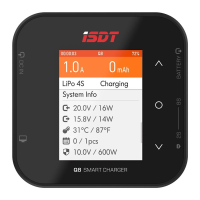
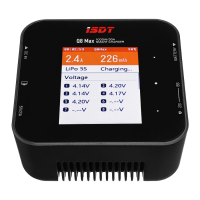
Clear Display Screen: The charger is equipped with a display screen that provides real-time information during operation. While working, users can shift the displayed parameters using the three-way navigation keys. This includes essential information such as cell voltage, cell internal resistance, BattGo information (if a compatible battery is connected), and other working parameters. The cell voltage and internal resistance are particularly useful in balancing charging mode, offering detailed insights into the battery's condition. The ability to display cell voltage even without a connected balance port adds to its diagnostic capabilities.
BattGo Compatibility: The Q6 Nano supports BattGo batteries, which significantly streamlines the setup process. When a BattGo battery is connected, the charger automatically detects the battery type, cell count, and sets appropriate charging or discharging currents, reducing the risk of incorrect parameter settings and enhancing safety.
System Settings Menu: A comprehensive system settings menu is accessible by pressing and holding the middle position of the three-way navigation keys from the standby interface. This menu allows users to customize various aspects of the charger's operation:
While the manual does not explicitly detail maintenance procedures, the design and features of the Q6 Nano imply certain aspects that contribute to its longevity and safe operation:
Fan Vent: The presence of a fan vent indicates an active cooling system. This is crucial for dissipating heat generated during charging and discharging, especially at higher power levels. Proper airflow through this vent is essential for maintaining the charger's internal temperature within safe operating limits, thereby extending its lifespan and preventing thermal damage. Users should ensure the fan vent is not obstructed during operation.
Robust Design: The charger's compact and seemingly durable construction suggests it is built to withstand regular use. Adhering to the safety guidelines, such as placing it on a heat-resisting, non-flammable, and insulating surface, and keeping it away from dust, humidity, and extreme temperatures, will contribute significantly to its maintenance and operational reliability.
Firmware Upgrades (Implied): Although not explicitly stated as a user-accessible feature, modern smart chargers often support firmware upgrades. The statement "Functions of products will be kept on upgrading, the manual in your hand may be different from the actual operation, please refer to the actual functions" suggests that ISDT provides ongoing software improvements. This implies that the device's capabilities can be enhanced or refined over time, contributing to its long-term usability and performance. Users would typically check the manufacturer's website (www.isdt.co) for the latest updates and instructions.
Self-Diagnostic Capabilities: The "Self-test" function within the system settings acts as a maintenance feature, allowing users to quickly check the operational integrity of the charger. This can help in identifying potential issues early, preventing more significant problems down the line.
In summary, the ISDT Q6 Nano Smart Charger is a powerful, user-friendly, and safety-conscious device designed to meet the diverse battery management needs of hobbyists and professionals alike. Its comprehensive range of functions, intuitive interface, and built-in safety mechanisms make it a reliable tool for maintaining various battery types.
 General
| Output Voltage | 1-30V |
|---|---|
| Max Charge Current | 8A |
| Charge Current Range | 0.1-8.0A |
| Max Discharge Capacity | 5W |
| Balance Current | 300mA/Cell |
| Operating Temperature | 0-40°C |
| Storage Temperature | -20-60°C |
| Weight | 120g |
| Input Voltage | 10-30V DC |
| Discharge Current Range | 0.1-2A |
| Supported Battery Type | LiFe, LiIon, LiPo, LiHV, NiMH, NiCd, Pb |
| Interface | XT60 |

 To Next Page