Need help?
Do you have a question about the ISDT Q8 Max and is the answer not in the manual?
Key safety rules for operating the charger, including supervision and environmental conditions.
Critical warnings against leaving the charger unattended and potential hazards like fire.
Details input/output voltage, current, power, dimensions, and weight of the Q8 Max charger.
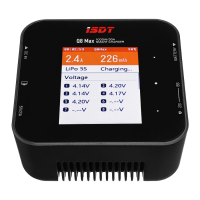
Identifies key ports and buttons like DC IN, USB, Battery, and the touch board.
Table detailing voltage, cell count, and current for various battery types.
Explains how to determine safe charging current using C-value and battery capacity.
Describes how to access the task setting menu using the touch board.
Details the charging process, balancing, and discharge functions with current settings.
Instructions for using 'Destroy' and 'Storage' functions for battery maintenance and disposal.
How to use the charger as an adjustable DC power supply with specified voltage and current limits.
How to navigate the charging screen to view detailed battery and charger status information.
Configuring input voltage protection and max input power for stable operation.
Adjusting buzzer volume and calibrating charger voltages for accuracy.
 General
| Brand | ISDT |
|---|---|
| Model | Q8 Max |
| Category | Battery Charger |
| Language | English |

 To Next Page