EasyManua.ls Logo

ISDT FD-200 - User Manual

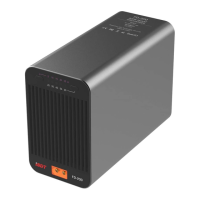
ISDT FD-200
5 pages
Print Icon
To Next Page IconTo Next Page
Loading...
200W SMART DISCHARGER
FD-200
USER GUIDE
Question and Answer IconNeed help?

Do you have a question about the ISDT FD-200 and is the answer not in the manual?

Summary

Product Specifications

Operation Guide

Powering On and Standby

Connect the battery and press any key to turn on to standby state.

Setting Battery Cells Count

Select battery cell count (2S-8S) using the right button.

Setting Discharge Current

Select discharge current (5A-25A) using the left button.

Bluetooth Connectivity

Initiate pairing by pressing both buttons; light turns blue and blinks.

Discharge Modes

Manual start via long press or automatic start via Bluetooth connection.

Standby and Power Off

Enter standby by switching settings or long press; auto power off after 1 min.

LED Indicator Light Guide

LEDs for Current and Cell Count

How LED lights indicate the selected current and battery cell count.

LEDs for Discharging Progress

How LED lights show the progress of the discharging process.

Critical Safety Warnings

Emphasizes unsupervised use is dangerous due to fire hazard and heat.

Bluetooth APP Connection

Summary

Product Specifications

Operation Guide

Powering On and Standby

Connect the battery and press any key to turn on to standby state.

Setting Battery Cells Count

Select battery cell count (2S-8S) using the right button.

Setting Discharge Current

Select discharge current (5A-25A) using the left button.

Bluetooth Connectivity

Initiate pairing by pressing both buttons; light turns blue and blinks.

Discharge Modes

Manual start via long press or automatic start via Bluetooth connection.

Standby and Power Off

Enter standby by switching settings or long press; auto power off after 1 min.

LED Indicator Light Guide

LEDs for Current and Cell Count

How LED lights indicate the selected current and battery cell count.

LEDs for Discharging Progress

How LED lights show the progress of the discharging process.

Critical Safety Warnings

Emphasizes unsupervised use is dangerous due to fire hazard and heat.

Bluetooth APP Connection

ISDT FD-200 Specifications

General IconGeneral
Output Power200W
Charge Current0.1-20A
Discharge Current0.1-5A
Discharge Current Range0.1-5A
Cell Count (LiPo)1-6S
Output Voltage1-30V
Output Current0.1-20A
Operating Temperature0-40°C
Battery Types SupportedLiPo, LiHV, LiFe, NiMH, NiCd, Pb
Display2.4" TFT color screen
Balance Current300mA
CoolingFan
InterfaceXT60
Input CurrentMax 20A
Battery Cell Count1-6S
Storage Temperature-20 to 60°C

Related product manuals