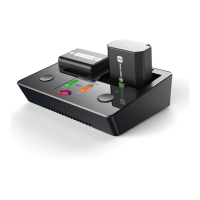
Use LED lights to indicate working state
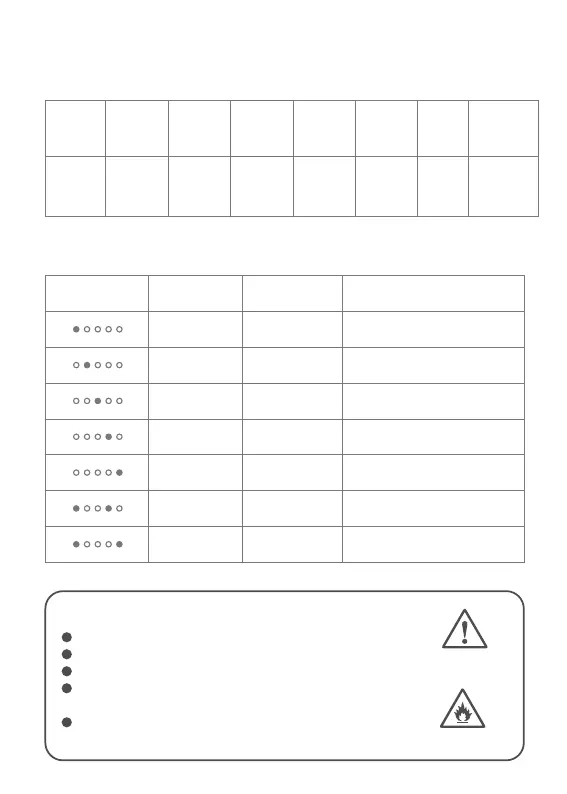
LED indicator light introduction
White Purple Blue Green Cyan Red
Red, green
,blue flash
alternately
Standby/
Discharging
current
Standby /
Discharging
battery cells
Bluetooth
connected
Discharging Completed Error Upgrading
Indicator
color
Working
state
LED lights represent the current and the number of battery cells.
Light
Cells(White)
2S
3S
4S
5S
6S
7S
8S
-
-
5A
10A
15A
20A
25A
Current(Purple)
-
-
The number of cells is set too low
The number of cells is set too high
Temperature is too high(≧80℃)
Over current
Error
Error(Red)
NEVER USE DISCHARGER UNSUPERVISED
FIRE HAZARD!
WARNING!
Batteries pose a severe risk of fire if not properly handled.
Read entire operation manual before using charger.
This unit may emit lots of heat during use.
Only operate this device in a cool ventilated area
away from flammable objects.
Failure to observe safety procedures may cause damages
to property or injury.


 To Next Page