iMC-B / iMC-V Operating Instruction
page - 21
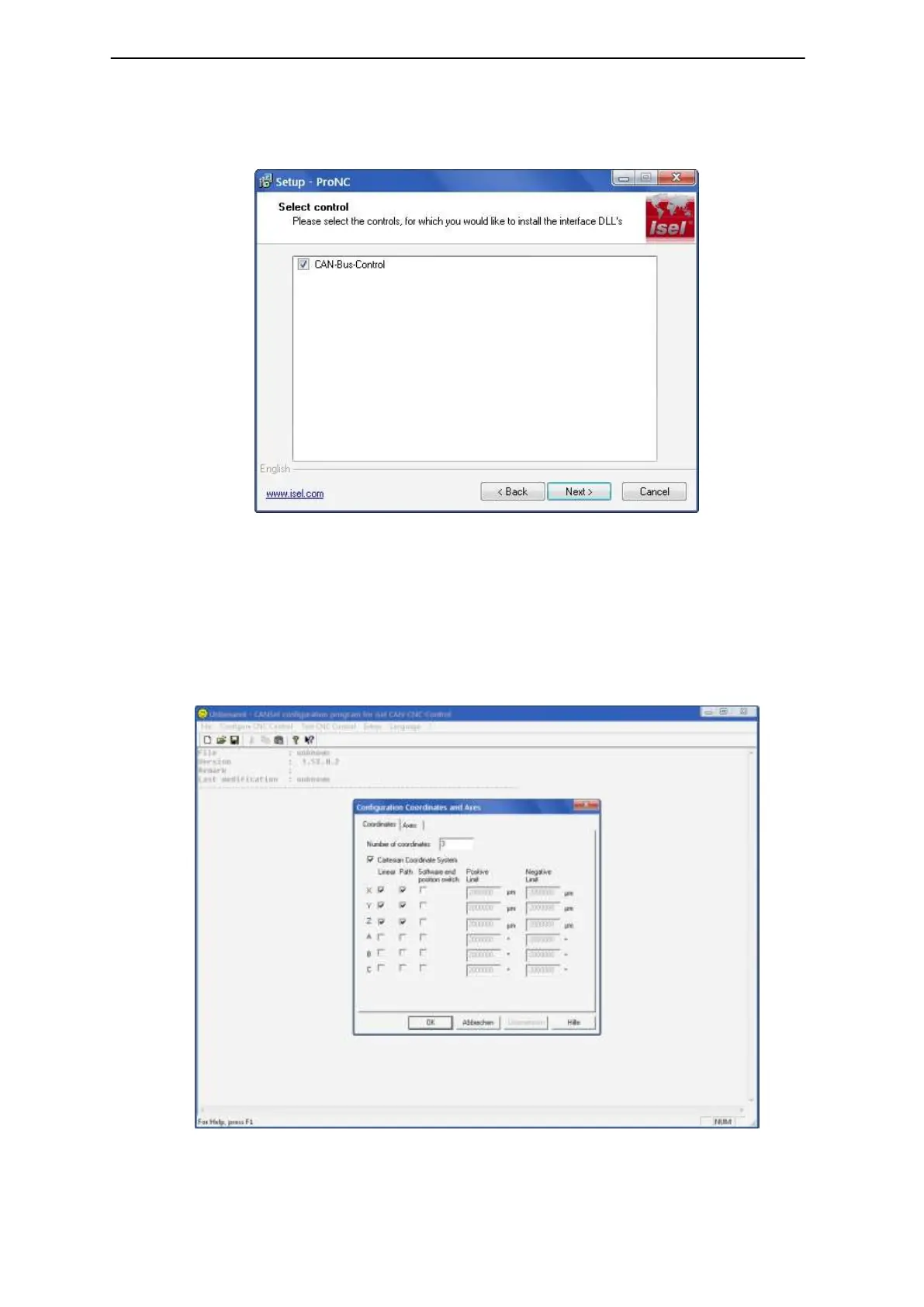
3. Click on the entry “Installation of ProNC“
Choose your language and follow the instructions of the setup assistant.
Mark on setup window “Select control“ the option “CAN-Bus-Control“ to install the
CAN-bus software module.
After finishing the installation click on button “Exit“ to close the Auto-Start-menu.
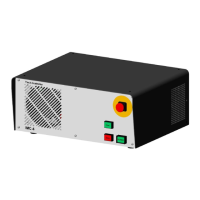
4. Open the configuration program CANSet.exe (shortcut on windows-desktop or
start-menu-entry: Start Programs isel CAN-CNC-Control CANSet) to
setup machine specific parameters (CAN-interface, used axes, axis type).
Save your configuration to an initialization file (*.ini file). The saved file will be
used later in the control software ProNC / Remote as motion control initialization
file.



 To Next Page