iMC-B / iMC-V Operating Instruction
page - 22
5. Open the control software ProNC / Remote via shortcut on the windows desktop
or the start menu entry: Start Programs CNCworkbench ProNC/Remote
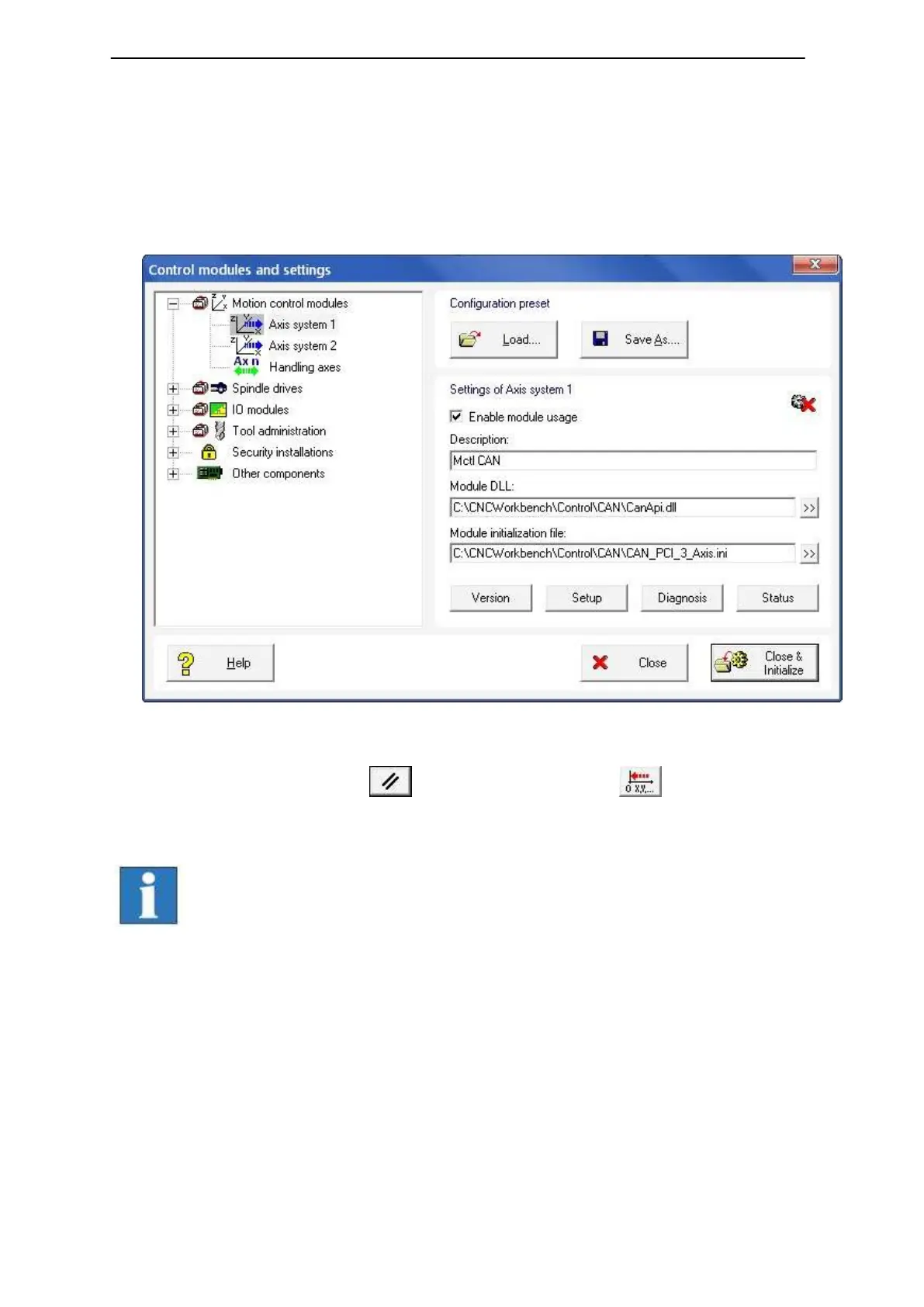
Click on entry “control“ in menu “settings“. Mark the entry Motion control
modules Axis system 1. In the bottom right side of the window you will find the
settings for the selected axis system. In the edit field “Module initialization file”
you must choose your previously with CANSet.exe generated and saved INI-file.
Click on button “Close & Initialize” to take effect the new settings.
6. Perform a software reset and a reference run to check correct
behavior of the machine /system.
Additional information to configure ProNC / Remote you can
find in the online help (menu help, F1 key).



 To Next Page