Chapter 2 DAILY OPERATION
2.1 LABEL SETTING
1
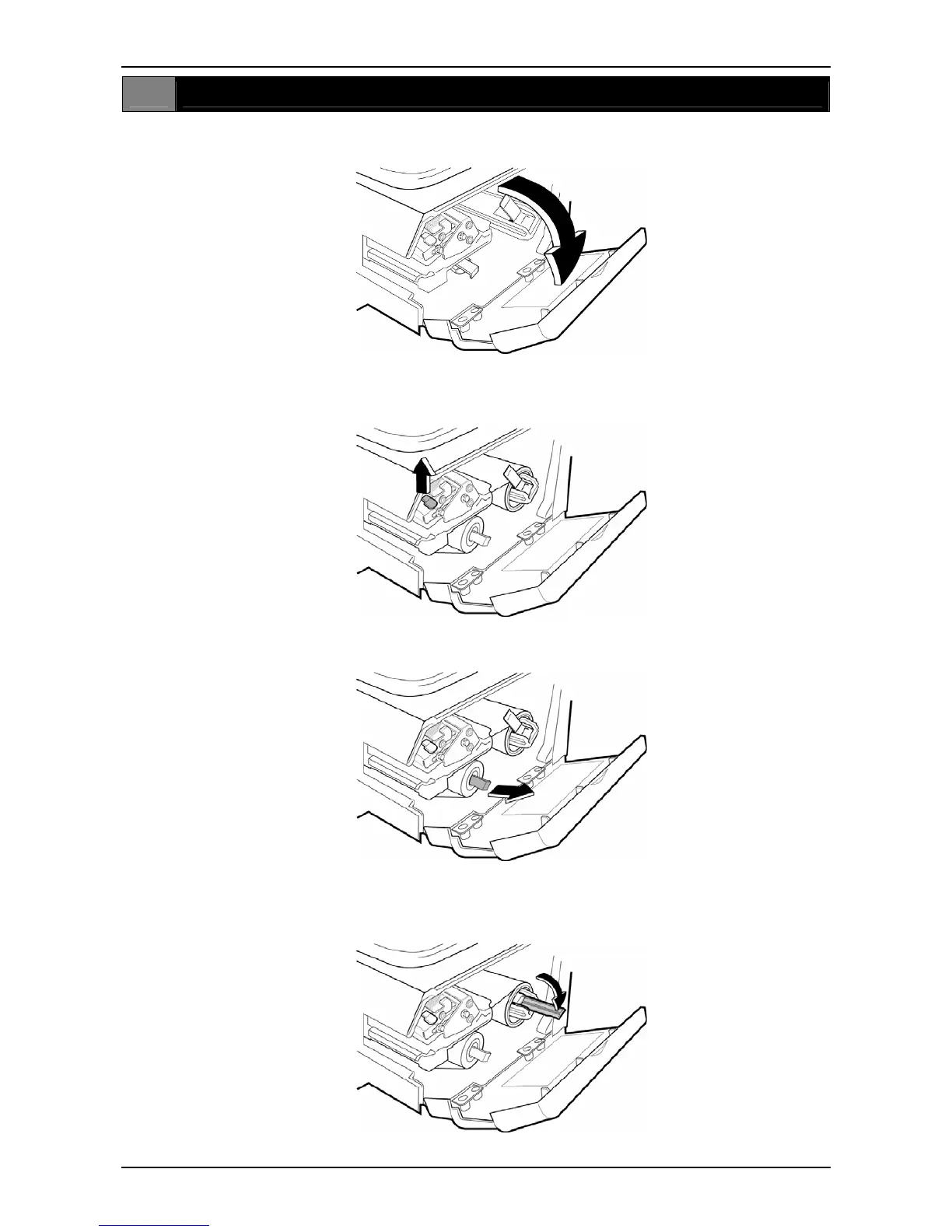
Open the side cover.
2
If the paper roll still remains and backing paper is wound around the winding bobbin, open
the thermal head by pulling up the lock lever.
Pull the release lever of the bobbin outwards to loosen the paper from the bobbin.
Set the stopper lever straight, and remove the remaining roll label roll and paper from the
roll holder, path, and bobbin.
2-2 BC-4000TEC User’s Manual No. JBAW97EBC-4000TEC


 To Next Page