Chapter 5 REGISTRATION MODE
4
[Allocating Preset Key]
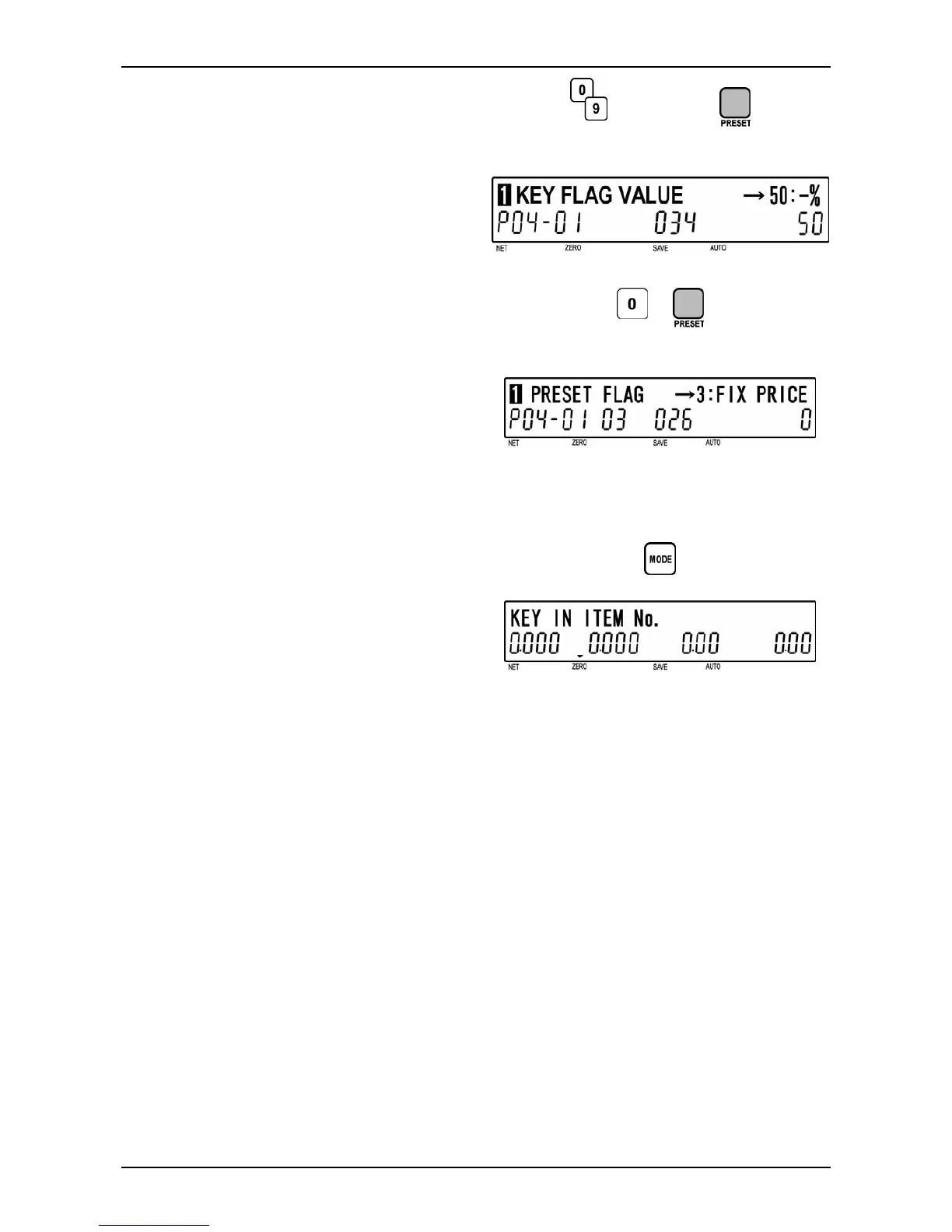
When the preset key requires the preset
value, key in the value and press the desired
preset key.
When the preset key does not require any
preset value, key in “0” and press the desired
preset key.
Preset value
d
Example: Key position “034” for -% (5%)
d
Example: Key position “026” for Fixed Price
5
[Repeat]
Repeat steps 3 and 4 above for allocating
other preset keys.
6
[Exit P04 Mode]
To exit Preset Key Mode, press the [MODE]
key.
The initial screen will appear.
d
BC-4000TEC User’s Manual No. JBAW97EBC-4000TEC 5-21


 To Next Page