Chapter 5 REGISTRATION MODE
9
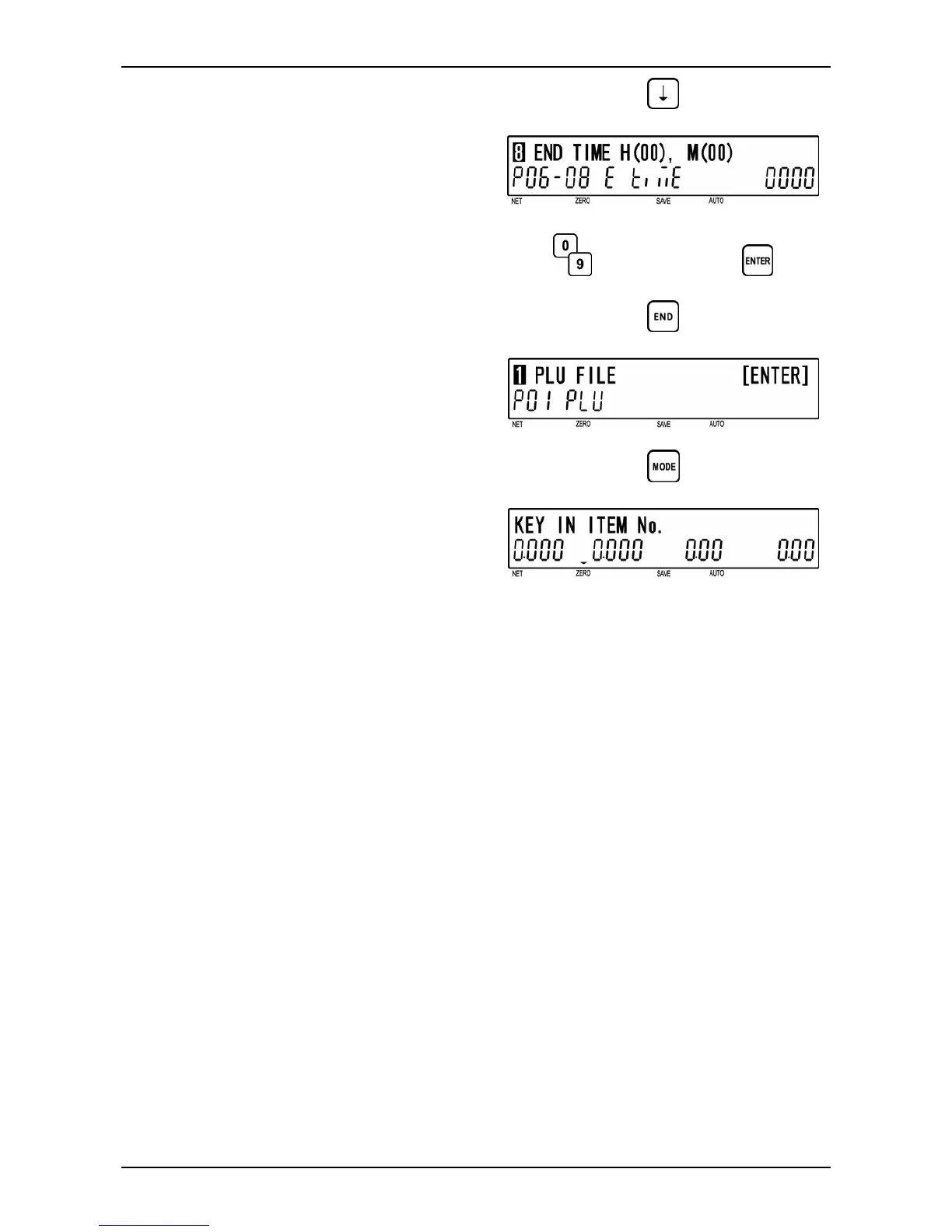
[End Time]
Press the [ ↓ ] key to proceed to “End Time”
screen (P06-08) for daylight saving.
Key in desired time (HHMM) and press the
[ENTER] key.
d
d
End time (HHMM)
10
[Return to P01]
Press the [END] key to return to the P01
screen.
d
11
[Registration Mode Exit]
To exit Registration Mode, press the
[MODE] key.
The initial screen will appear.
d
BC-4000TEC User’s Manual No. JBAW97EBC-4000TEC 5-27


 To Next Page