8
Ishida Setup & Calibration Manual
2.2 MTE Series
Follow the steps below to set up and calibrate the MTE Series scale.
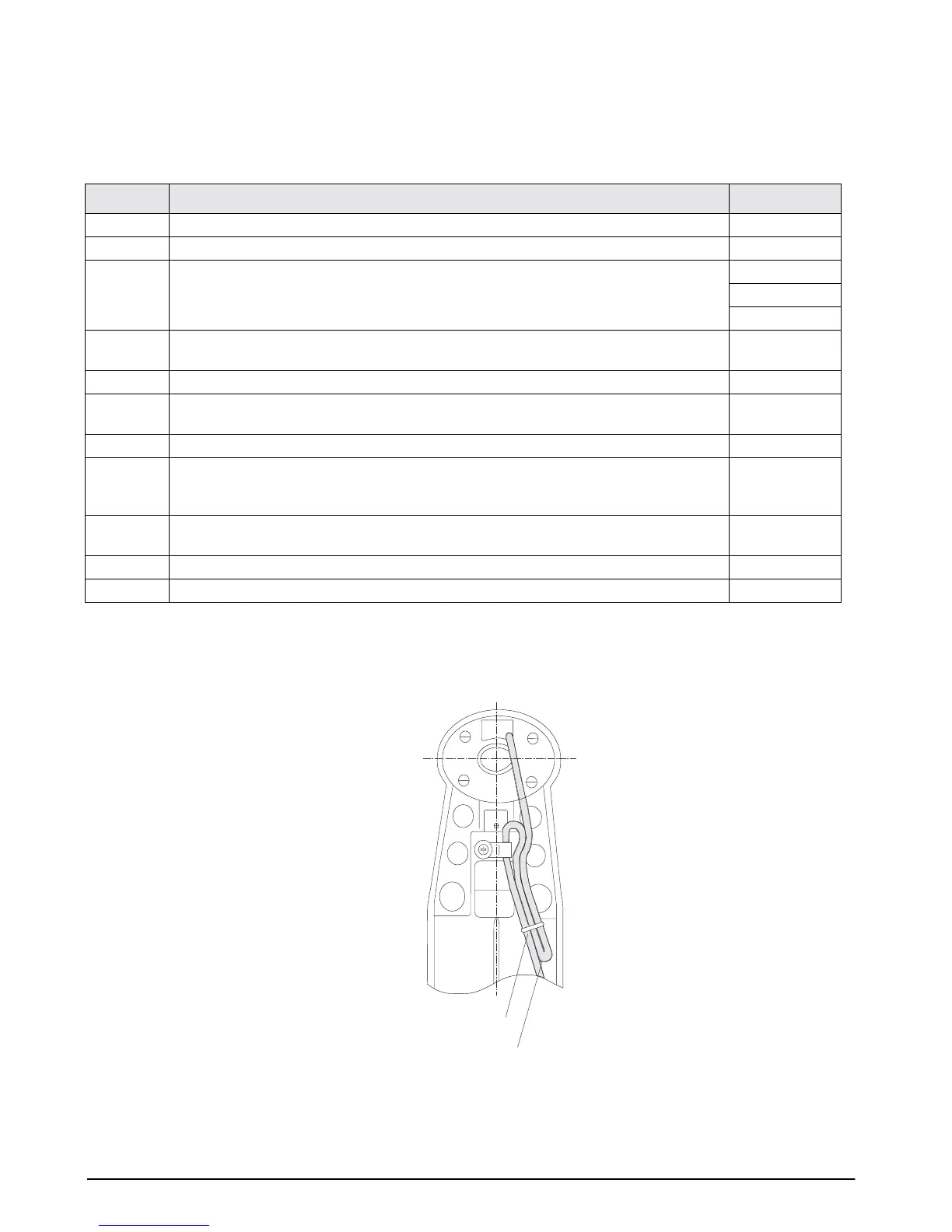
Securing the load cell cable:
When you mount the display pole on the main body, secure the load cell cable with the plastic tie as shown
below. After you secure the cable, use the procedures (shown above) to calibrate the MTE Series scale.
Figure 2-2. Bottom view of MTE Series scale base
Step Action Display
1 Start with the display ON.
2 Push both ON/OFF plus VALUE key at the same time. C1 10
3Press the TARE key three times to access the Lb calibration mode. C2 20
C3 1
L 1
4Press the TARE key again to display the initial A/D value.
NOTE:
A normal A/D initial value is between 6000 and 10000 count.
8280
5Press the ZERO key to set the A/D zero point value. 2000
6 Place a 300 Lb weight on the scale platter, then press the TARE key to set the A/D full
capacity value.
70040 ± 2
7 Remove the weight, then press the ZERO key to set the A/D zero point value. 2000
8 Place the weight on the platter again.
NOTE:
If the displayed value is not 70040 ± 2, remove the calibration weight and repeat the
above procedures starting with Step 4.
70040 ± 2
9 Remove the plastic screw from the bottom of the display. Use a
non-metallic
device to
press the memory switch, then replace the plastic screw.
5
10 Turn the scale off, then on again. Test the calibration by placing a known weight on the scale.
11 The MTE automatically calibrates the Kg mode.
Plastic Tie
Load Cell Cable



 To Next Page