Industrial Scales 13
2.6 NCS Series
Follow the steps below to set up and calibrate the CWS Series scale.
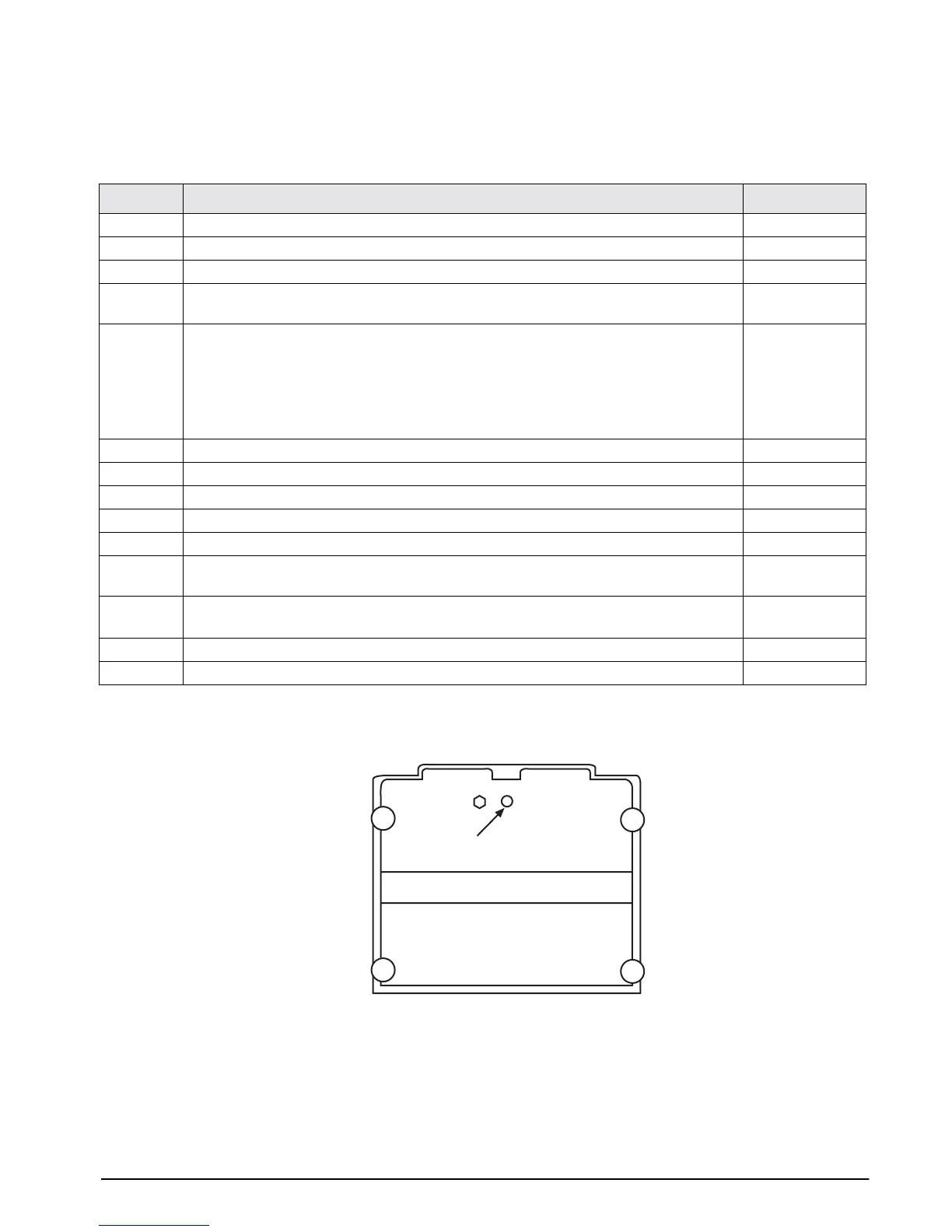
Figure 2-3. Bottom view of NCS scale
Step Action Display
1Turn the scale off.
2Turn the scale on and immediately press the 1 key.
3Press the 1 key, then the TARE key. C 0
4Press TARE after verifying the country code: 20 = United States (6 lb, 30 lb, and 60 lb). To
change the country code, enter 20 then press TARE.
C1–1 20 0
5Press TARE after verifying the Capacity Code:
• 15 = 6 x 0.001 lb
• 12 = 30 x 0.005 lb
• 18 = 12 x 0.002
• 16 = 60 x 0.01 lb
NOTE: xx.xx= capacity, zz = code. To change, enter the code then press TARE.
C1–2 xx.xx zz
6With no weight on the scale, press ZERO to set 2000 counts. NOTE: nnnn = any number. 10 nnnnn nnnn
7 Place the full capacity weight on the scale as determined in Step 5. 10 2000 0
8Press TARE. NOTE: nnnn = any number. 10 nnnnn nnnn
9 The center display should read 32000 ± 1. If not, repeat the above starting with Step 6. 10 32000 30000
10 Remove the weights and weight platter. 10 32000 30000
11 Tip the scale on edge and remove the brass screw. See the diagram below. NOTE: nnnn =
any number.
10 nnnnn nnnn
12 Use a non-metallic device to press the memory switch on the circuit board. See diagram
below. The scale beeps and temporarily displays
“ok.”
10 nnnnn nnnn
10 s ok
13 Replace the brass screw and the weigh platter. Turn off the scale. 10 2000 0
14 Turn the scale on again and test the calibration by placing a known weight on the platter. 0.00 0.00 0.00
Memory Switch



 To Next Page