20 Ishida Setup & Calibration Manual
3.5 SB Series
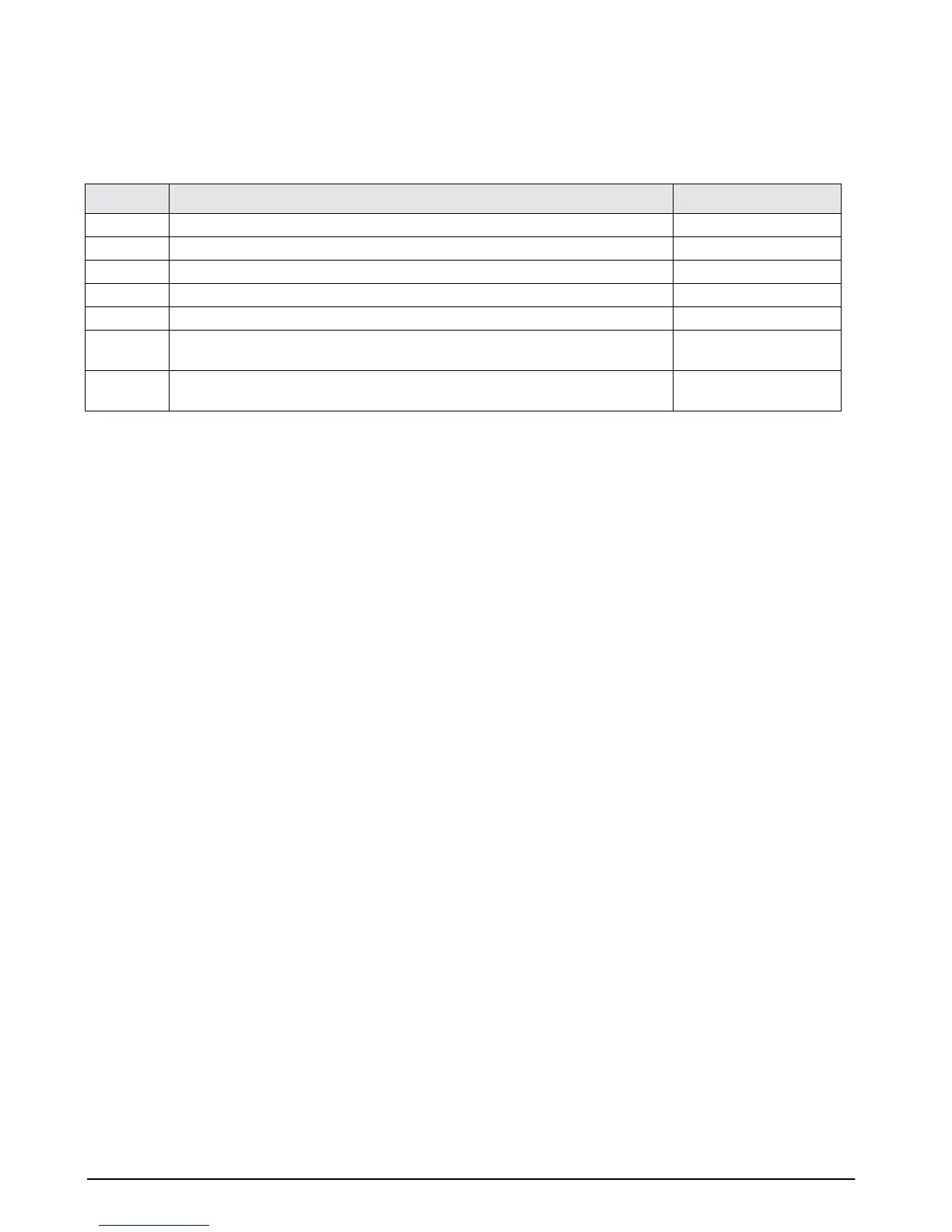
Follow the steps to set up and calibrate the Ishida SB Series scale.
NOTES:
• The Ishida SB Series precision balance automatically calibrates itself.
• Press the
P key to cancel calibration procedures and return to the weigh display.
• If
[o-Err] appears on the display, the weight exceeds the scale capacity.
• Standard calibration weight is
1/2 capacity. However, when possible, calibrate using full capacity.
• If
[1-Err] appears on the display, the calibration weight is less than 50% of the standard.
•If
[2-Err] appears on the display, an object other than the calibration weight is on the pan, or the display
tolerance (1%) is exceeded.
Step Action Display
1Turn on scale. 00000 00000 00000
2Press [CAL] , then release the key. CAL
3Press and hold the T key, then press the F key, then release both keys. on 0
4 The scale will automatically be set to the zero point.
5 After the zeroing procedure is finished, the measurement point must be set. on F.S
6 Set standard weight in center of weigh pan. The scale will automatically calibrate
itself.
on F.S
7 After calibration has finished, scale will automatically return to the original
measurement mode.
5000.00



 To Previous Page