User’s Manual WM3M4 &WM3M4C
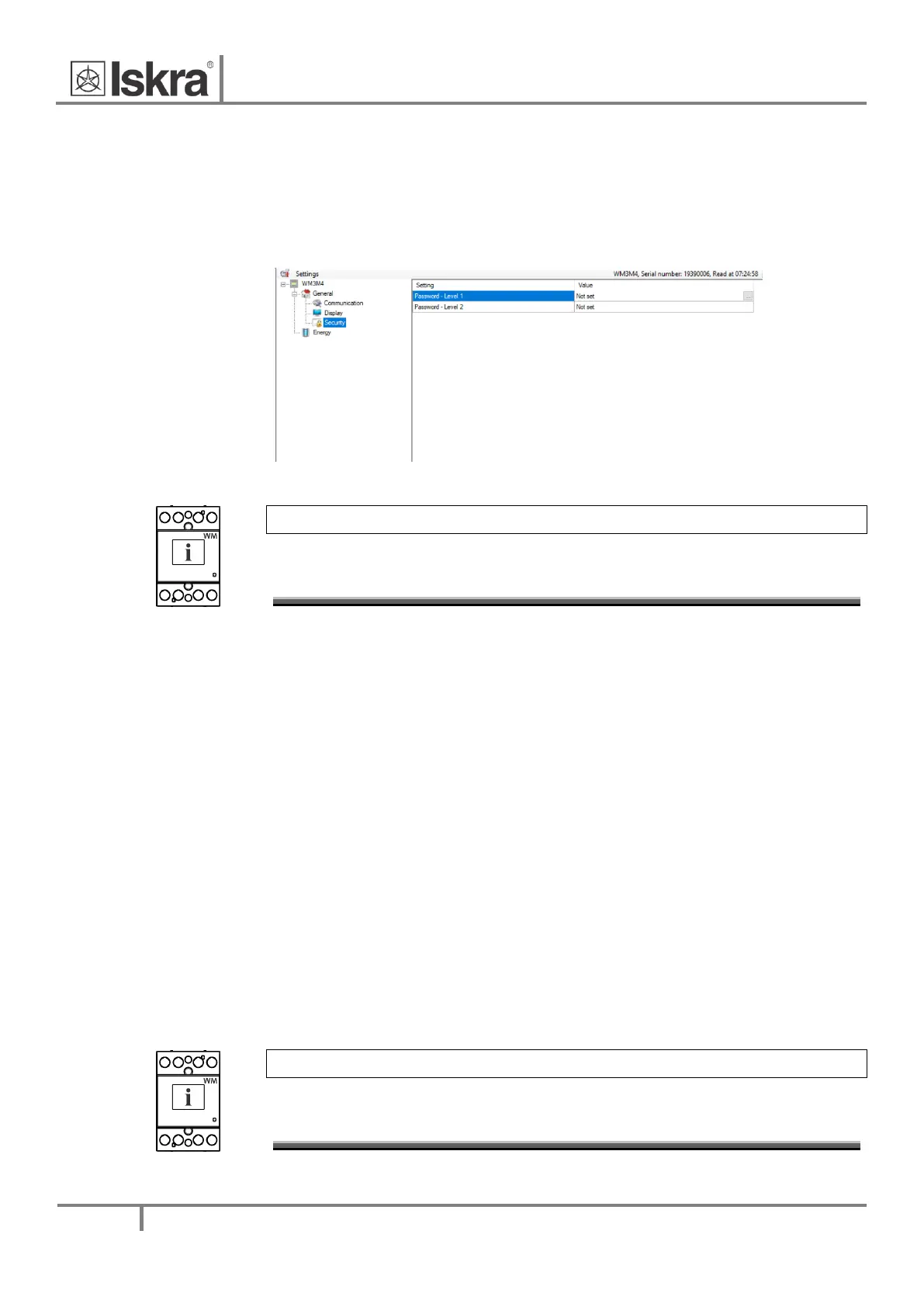
Security 4.4.1.3
A password consists of four letters taken from the British alphabet from A to Z. When setting a
password, only the letter being set is visible while the others are covered with●.
Settings parameters are divided into three groups regarding security level: PL1 >password level 1, PL2
>password level 2 and BP >a backup password.
Figure 25: Security window
PLEASE NOTE
A serial number of the device is stated on the label and is also accessible with MiQen
software.
Password-Level 1 >PL1
With level 1 password you can change the date and time and perform the re-start of the meter. The
settings cannot be saved in the settings file.
Password-Level 2 >PL2
With level 2 password you can change all supported settings and perform reboot of the meter. The
settings cannot be saved in the settings file.
A Backup Password->BP
A backup password >BP) is used if passwords at levels 1 >PL1) and 2 >PL2) have been forgotten, and it
is different for each device >depending on a serial number of the device). The BP password is available
in the user support department in ISKRA d.o.o., and is entered instead of the password PL1 or/and
PL2. Do not forget to state the device serial number when contacting the personnel in ISKRA d.o.o.
Password modification
A password is optionally modified; however, only that password can be modified to which the access
is unlocked at the moment.
Password disabling
A password is disabled by setting the "AAAA" password.
PLEASE NOTE
A factory set password is "AAAA" at both access levels >PL1 and PL2. This password does not
limit access.


 To Next Page