ENGINE ELECTRICALS
3. Pulley and Fan
(1) Clamp the rotor shaft in a soft jaw vise.
(2) Loosen the pulley lock nut 1.
(3) Remove the pulley 2 along with the spacer
collar.
4. Rotor and Bearing
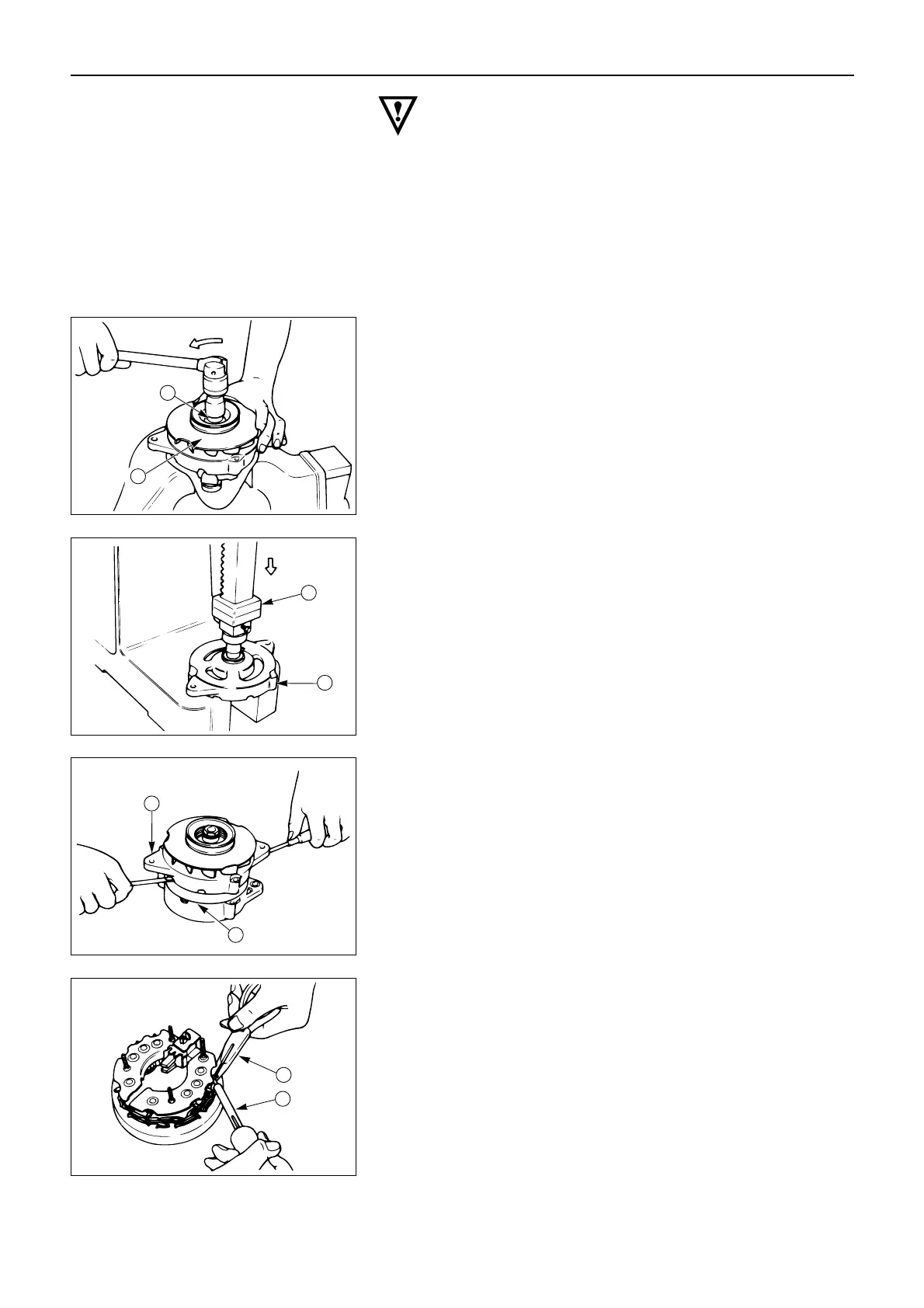
(1) Use a plastic hammer or a press 1 to remove
the rotor from the front cover 2.
(2) Remove the spacer collar.
8. Front Cover
Use screwdrivers to pry the front cover 1 from the
stator 2.
Note:
Do not attempt to pry the coil wires from the stator.
9. Stator
10. Rectifier with Brush Holder
Use a soldering iron 1 and a pair of long nose pliers
2 to remove the rectifiers.
Note:
Hold the rectifier leads between the rectifier and the
soldering iron with the long nose pliers. This will
protect the rectifier from the heat.



 To Next Page
 Loading...