Safety devices
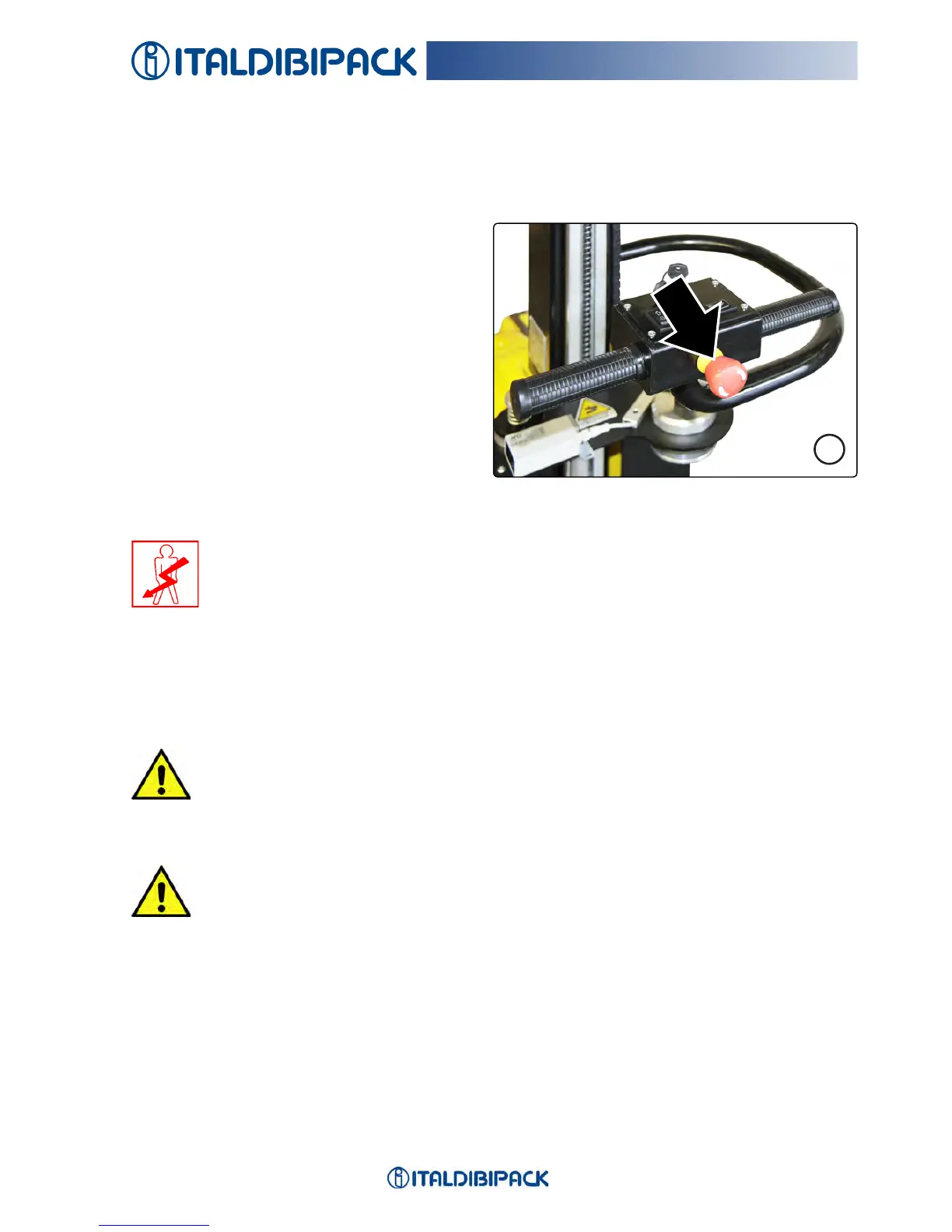
Function of the EMERGENCY button
Theemergencystopisperformedbypres-
sing the mushroom-shaped button on the
steering(Fig.5).
Thebuttonactsonasafetycircuitcausing
thedeactivationofallmachinemovements.
Procedures for periodic checks
Tocheckiftheemergencycircuitworkscor-
rectlyeverydayfollowthisprocedure:
1.Commissioningthemachine
2.PresstheEmergencystop
3.ReleasetheEmergencybutton
4.Resetandrestartthemachineusingtherelativecontrols
Inthecaseoffailureontheemergencycircuit,itwillnolongerbepossibletoper-
formthesubsequentcommissioning.
Theelectricalmaintenancetechnicianmustverifythetypeoffailureonthecompo-
nents.
NOTE
Toresettheemergencystopfunction,turnthemushroom-shapedbuttoninthedirectionofits
arrowandresetthesafetyconditionsbypressingESCbuttononthecontrolpaneltoresume
theproductioncycle.
2 - 05
SAFETY
5
CAUTION
If, for any reason, the emergency button does not block the robot movement,
it can be stopped by pressing the ON/OFF button on the control panel and/or
by switching off the machine using the key switch.
CAUTION
The efciency of the EMERGENCY button must be checked at the start of
each work shift!
CAUTION
The “LEO” robot is also provided with a shock-sensitive front part for safety of work
and controls that stop the machine if, after the recordable time, the machine does not
steer.
After having pressed the front sensitive part, the robot continues its run for about 200
mm.


 To Next Page