5 - 02
USING THE MACHINE
continuedProgram settings
PROGRAM PARAMETERS CHANGE
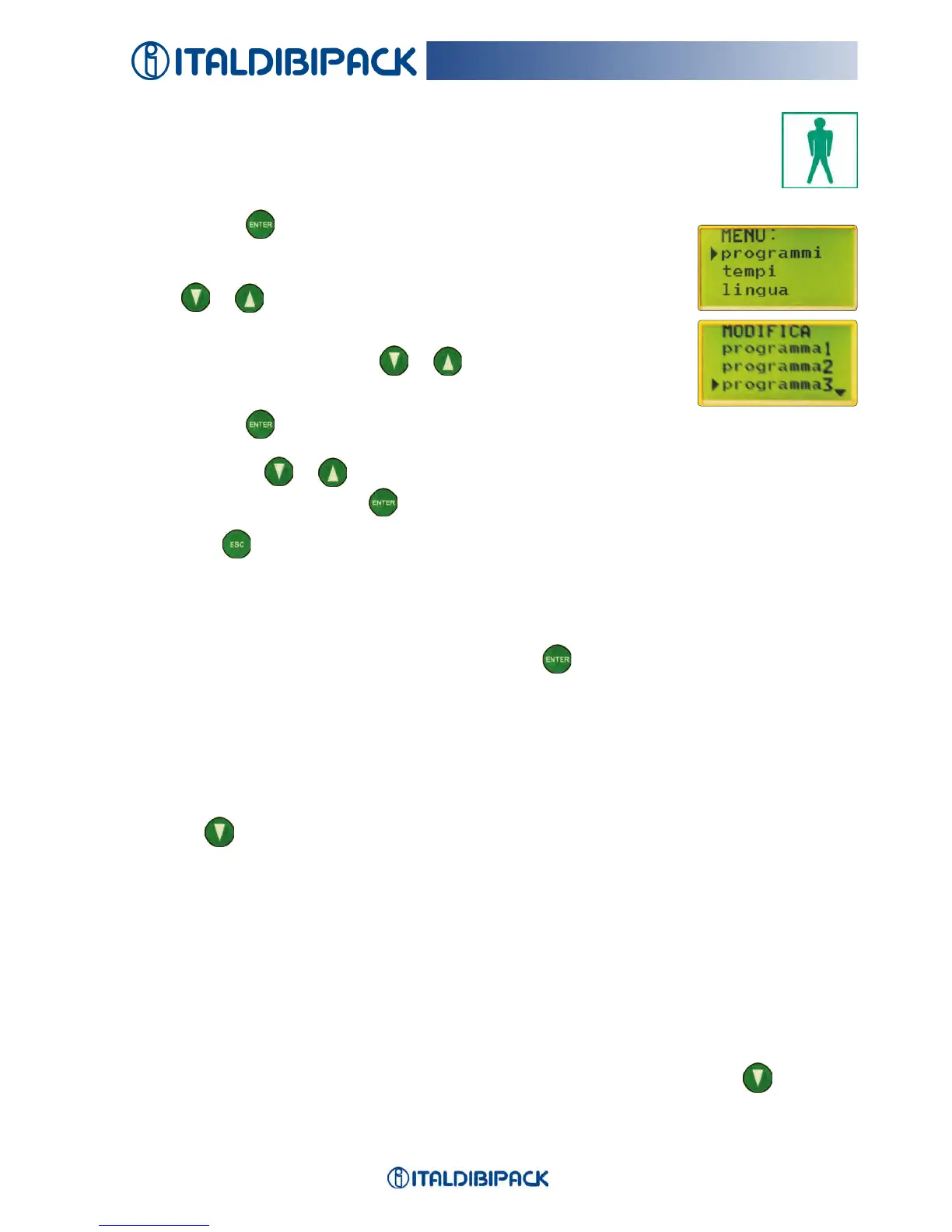
Press ENTER
toaccessthescreen:MENU:programmi-tempi-
lingua(programs-times-language).
Press or tomovethecursor
▸
incorrespondenceof
“programmi”(programs).
Selecttheprogrambypressing or tomovethecursor
▸
in
correspondenceofthenumberoftheprogramchosen.
Press ENTER toaccessthesub-menuindicatedbythesymbol
▸
.
Usethebuttons or to modify the values.
Oncemodied,PressENTER toconrmthenewvalue.
Press ESC to exit
CAUTION: To use the machine, the display must be in the home screen.
PROGRAM SUB-MENU
Allowsrecallingtheprogramtochangethesettings.
SelectachosenprogramnumberandpressENTER toconrm.
Thefollowingwillappearonthedisplay:
▸
HORIZ. V)-Notmodiable-Value99
▸
VERTICAL V-Modiable-itistheupanddownspeedofthelmrollholdercarriage.
Changingthevaluetheoverlappingofthelmincreasesordecreases.Recommended
value 90.
Pressing
twicethefollowingincreasesordecreaseswordsappearonthedisplay:
▸
HEIGHT-Modiable-Theenteredvalueisthepalletheightincm.
Ifthevalueisgreaterthantherealheightthemachineusesthephotocell,otherwise,the
lmrollholdercarriagemovementstopsatthesetvalue.
Theenteredvaluedividedby2isusedtomakeareinforcementcycleatthewantedheight
and,inthiscase,theAVERAGE value in the sub-program RIPETIZIONI (REPETITIONS)
is different from 0. Maximum value 235.
▸
DOWN -Modiable-Allowsperforminganup-downcycleofthelmrollholdercarriageor
onlyup-cycle.
Values:YES - NO.InthecaseofNO,whenthecycleiscompletedthelmrollerholder
carriagestopsinthetopposition.Tomoveitinhome(down)positionpress more
time to avoid that take high speed.
Onlywhenitisinhomepositionitispossibletorestartwithanewcycle.


 To Next Page