USING THE MACHINE
5 - 06
26
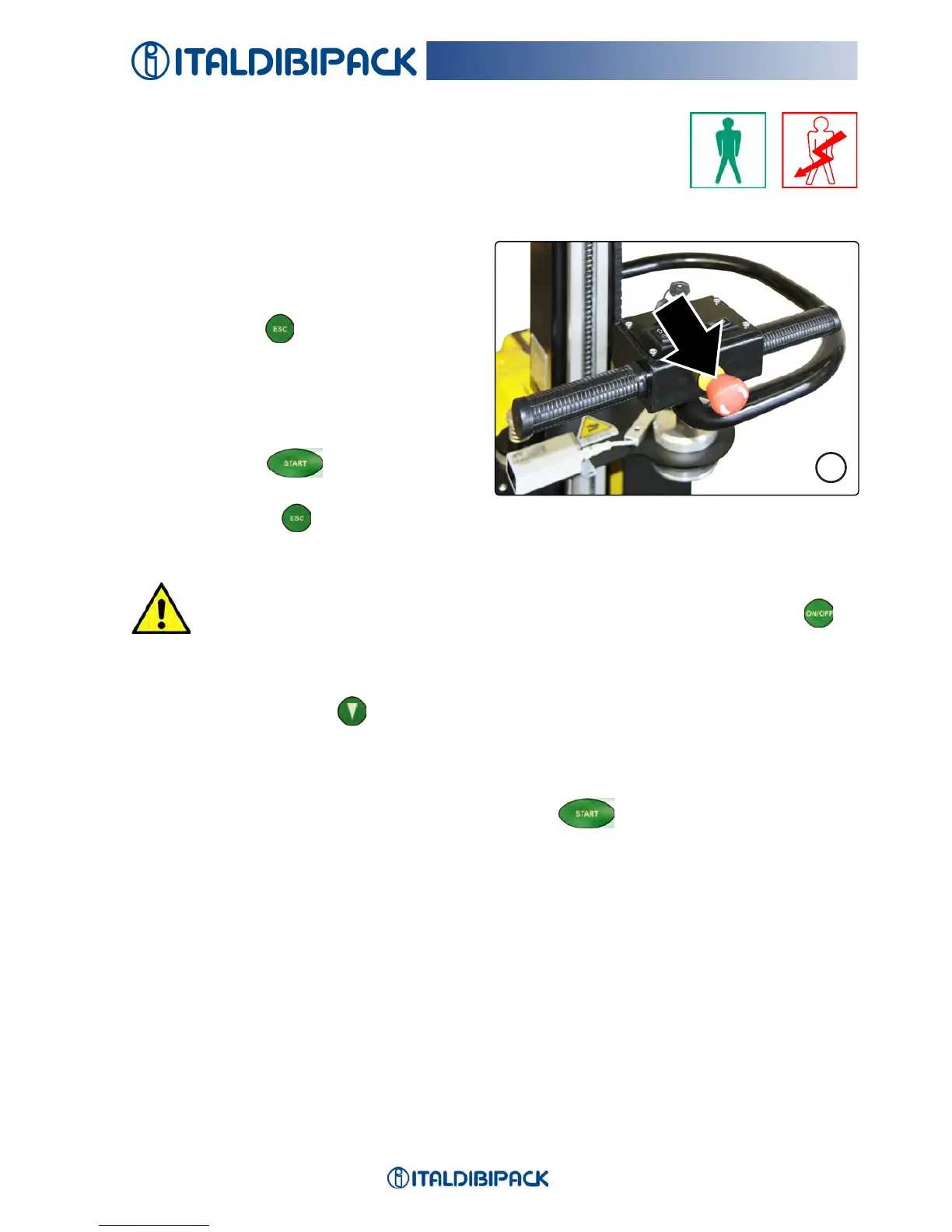
EMERGENCY Intervention
Inthecaseofemergencyintervention,pressingtheredmushroom-
shapedbutton(Fig.26)blockstherobotinpositionandthedisplay
indicatesIRREGULAR STOP.
Toovercomethissituation,releasethe
buttonbygentlyturningitclockwiseby
about ¼ of a turn.
Then press ESC
to enter the normal
cycleofoperation.
The display shows the message
IRREGULAR STOPalsoincaseoffront
bumber intervention.
Pressing START
again,restartsthe
cyclefromwhereitwasinterrupted.
If by pressing ESC themessagedoesnotdisappear,checkthemetalbandsofthe
bumper(removeanyoxidation),checktheredmushroom-shapedbuttonposition.
CAUTION
DO NOT SWITCH-OFF the machine using the key or the ON/OFF button
if
the lm roll holder carriage is not in low position.
Inthecaseofonlyupwrapping,afterhavingcutthelm,lowerthelmrollholdercarriageby
brieypressingthebutton 3or4times,sothatitnevertakesanexcessivespeed.
CAUTION
In the case of stop due to the pressure of the keys on the steering handle, the lm roll
holder carriage will not lower and when the START button is pressed, the ro-
bot, if the photocell is obscured by the load to be wrapped, will re-start the cycle from
where it was interrupted (it performs the pre-set turns at the base, even if the lm roll
holder carriage is not in position).
If the photocell is not obscured by the load to be wrapped, the robot starts the descent
cycle.


 To Next Page