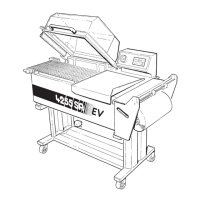
COMMANDS and CONTROLS
3 - 03
6
9
Figure 6
1
-Buttontoscrollupthecursoronthe
displayorliftlmrollholderunit
2 - Setting display
3-Buttontoscrolldownthecursoronthe
displayorlowerlmrollholderunit
4-ON-OFFButton(machineignitionand
switch-off)
5-STARTButton(cyclestart)
6-ENTERButton(entersettings)
7-ESCButton(exitsettingsandreset
errormessages.)
8-6programselectionandstorage
buttons
Figure 7
1
-SwitchON-OFFkey
2-Front-backmovementbutton
3 - Right and left movement button (works
onlyduringthefront-backmovement).
4-Emergencybutton
Figure 9
1-3LEDbatterystatusindicator
GREEN=batterycharged
YELLOW = battery with problems
RED=batterydischarged
2-Socketforbatterychargerpower
supply
Figure 8
Mechanical stretch
1
-Knobtoadjustthelmtension.
7
1
8



 To Next Page