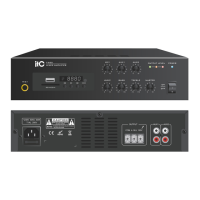
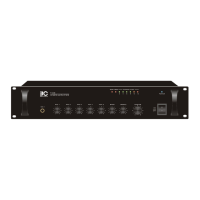
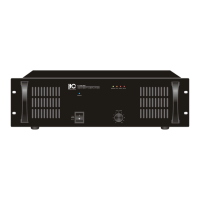
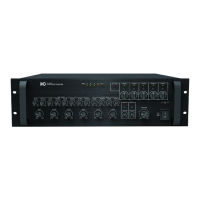
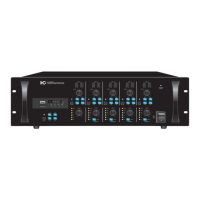
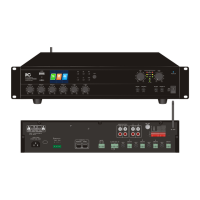
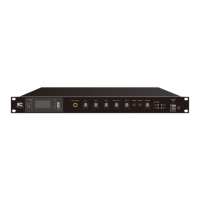
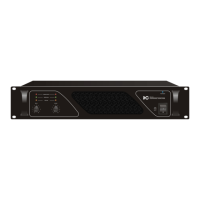
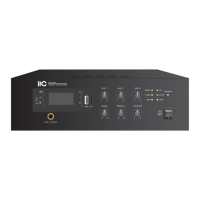
The ITC SFB240 is a mini desktop constant pressure power amplifier designed for public address systems. It is suitable for background music and radio in various small indoor venues such as homes, cafes, and classrooms. The amplifier is characterized by its beautiful appearance, light weight, and ease of portability.
Function Description:
The SFB240 serves as a power amplifier, offering robust sound amplification and a range of input and control options. It features a built-in MP3 module that supports playback from USB flash disks and TF cards, Bluetooth connectivity for mobile phones, and FM radio. The amplifier includes a priority function for MIC 1 input, which can disconnect other audio signals when active, making it ideal for announcements.
Important Technical Specifications:
- Rated Power Output: The SFB240 model delivers a rated power output of 240W, while the SFB120 model offers 120W.
- Speaker Output: Both models support 70V/100V speaker output, allowing for flexible speaker configurations over long distances.
- Input Sensitivity & Source Impedance:
- MIC input: +5mV, unbalanced 6.3 connector.
- AUX input: 350mV, unbalanced RCA connector.
- Tone Control:
- Bass: 100Hz±10dB.
- Treble: 10KHz±10dB.
- Frequency Response: 80Hz~16KHz(-3dB).
- S/N Ratio: ≥75dB.
- T.H.D: Rated power output, distortion < 1%.
- Protection: The amplifier incorporates short circuit, overload, and over-temperature protection mechanisms to ensure reliable operation and longevity.
- Input Power: The device supports a wide range of AC input voltages and frequencies, including:
- ~110V 50Hz / 60Hz
- ~120V 50Hz / 60Hz
- ~220V 50Hz / 60Hz
- ~230V 50Hz / 60Hz
- ~240V 50Hz / 60Hz
- Power Consumption: The SFB240 consumes 320W, while the SFB120 consumes 180W.
- Dimension: 300×88×280mm.
- Weight: The SFB240 weighs 4.1Kg, and the SFB120 weighs 3.9Kg.
Usage Features:
Front Panel Controls:
The front panel provides intuitive controls for various functions:
- Recording Function Button: Initiates audio recording.
- MP3 Loop Playback Function Button: Controls playback modes (Repeat One, Repeat ALL, Random, Repeat Folder).
- MIC1 Input: Standard 6.3 audio microphone jack with independent volume control.
- Play/Pause Button: Controls media playback.
- Next Song/Volume Reduce: Navigates tracks and decreases volume.
- USB Interface: For connecting USB flash drives.
- BASS Adjustment Potentiometer: Adjusts bass levels.
- TREBLE Adjustment Potentiometer: Adjusts treble levels.
- Master Volume Control: Overall volume adjustment.
- Power Switch: Turns the unit on/off.
- Power Indicator Light: Indicates power status.
- Status Indicators: PROT (protection), 100V/70V (output voltage), OL (overload), CLIP (clipping), SIG (signal).
- AUX1/AUX2 Volume Control Knobs: Independent volume control for line inputs.
- MIC1 Volume Control Knob: Independent volume control for microphone input.
- TF Card Slot: For connecting TF cards.
- Previous Song/Volume Up: Navigates tracks and increases volume.
- LCD Display: Shows current mode, track information, and other relevant data.
- Mode Function Button: Switches between FM, USB, Bluetooth, and playing modes.
- Infrared Receiving Window: For remote control signals.
Rear Panel Connections:
The rear panel offers comprehensive connectivity:
- AC Power Input Socket: For connecting the power cord.
- Cooling Fan: Ensures proper heat dissipation.
- 100V / 70V Speaker Output Switch: Selects the desired output voltage for speakers.
- MUTE Mute Control: Mutes audio output.
- FM Radio Antenna Interface: For connecting an FM antenna.
- AUX1 Input Interface: RCA jack for connecting external AUX output devices.
- AUX2 Input Interface: RCA jack for connecting external AUX output devices.
- Line Output Interface: For connecting to line input devices.
- EMC Input Interface: For emergency audio input.
- 100V/70V Output Interface: Speaker output terminals.
Remote Control:
A remote control is included for convenient operation from a distance of up to 8 meters, with a level angle of ±35 degrees and a vertical angle of ±15 degrees. Functions include power switch, mode selection, previous/next track, volume increase/decrease, number buttons (0-9), play/pause, sound effect control, mute, and cycle play.
MP3 Module Features:
- USB Function: Supports MP3, WAV, WMA, AEC, and FLAC formats from USB flash drives (up to 32GB).
- TF Card Function: Supports MP3, WAV, WMA, AEC, and FLAC formats from TF cards (up to 32GB).
- FM (Radio Reception) Function: Automatically receives radio stations by long-pressing the PLAY/PAUSE button in FM mode.
- Bluetooth Function: Connects to mobile phones (default name "BP10_BT") within a 10-meter barrier-free range.
- MP3 Song Loop Playback: Offers Repeat One, Repeat ALL, Random, and Repeat Folder modes.
- Functional Memory Function: Remembers the last selected function mode after power off (if powered off via remote or long-pressing MODE button). If power cable is unplugged, it defaults to Bluetooth mode.
- Recording Function: Records audio to a USB flash drive in PLAYING mode. Long-pressing the Record button completes recording and plays the recorded file.
Operation Illustration:
- Connecting Speakers: Users can select either 70V or 100V output by adjusting the selector switch. It is crucial to ensure the equipment is powered off before connecting speakers to avoid electric shock. The total rated input power of connected speakers must be less than the rated power of the amplifier.
- Connecting External Devices: All equipment should be powered off before connecting external devices using appropriate cables.
- Powering On: Ensure the power switch is off and volume knob is at minimum. Connect the power line to the AC IN interface and then to a power socket. Turn on connected equipment (e.g., CD player) first, then the amplifier.
- Microphone Usage: Connect the microphone to the MIC1 input, adjust its volume knob, and speak clearly. Adjust the master volume for desired output without distortion.
- Shutdown: Turn the master volume knob to minimum, then turn off the amplifier's power switch, followed by any connected processor equipment and audio sources. Avoid rapid power cycling.
Maintenance Features:
- Safety Precautions: The manual emphasizes critical safety measures, including avoiding exposure to water, using the specified voltage, proper handling of the power cord, securing terminal covers, grounding, and stable installation.
- Troubleshooting Guide: A dedicated section provides solutions for common issues such as no power, no sound, sudden sound disappearance, low sound, and distorted sound.
- No Power: Check power line, power switch, and protection function activation.
- No Sound: Verify power switch, power plug contact, fuse, volume knob position, audio signal input, and speaker line short-circuit.
- Sudden Sound Disappearance: Could be due to overheating (protection mode) or bad connection wire.
- Low Sound: Check if the equipment is set for low impedance connection while speakers have high impedance.
- Distorted Sound: Input level of Mic or external equipment might be too high.
- Cleaning: Contact an ITC dealer for cleaning. Regular cleaning of the power supply plug and AC outlet is recommended to prevent fire hazards.
- Storage: Unplug the power supply plug from the AC outlet if the unit is unused for 10 days or more.
- Internal Access: Users are warned not to open the unit case due to high voltage components; all servicing should be referred to an ITC dealer.
- Ventilation: Do not block ventilation slots to prevent heat buildup and fire.
- Environmental Considerations: Avoid installing in humid, dusty, direct sunlight, or high-soot/steam environments.
- Battery Replacement: For the remote control, ensure correct electrode orientation when installing batteries. Replace batteries when the remote distance shortens or sensitivity decreases. Remove batteries if not used for a long time.


 To Next Page
 General