10
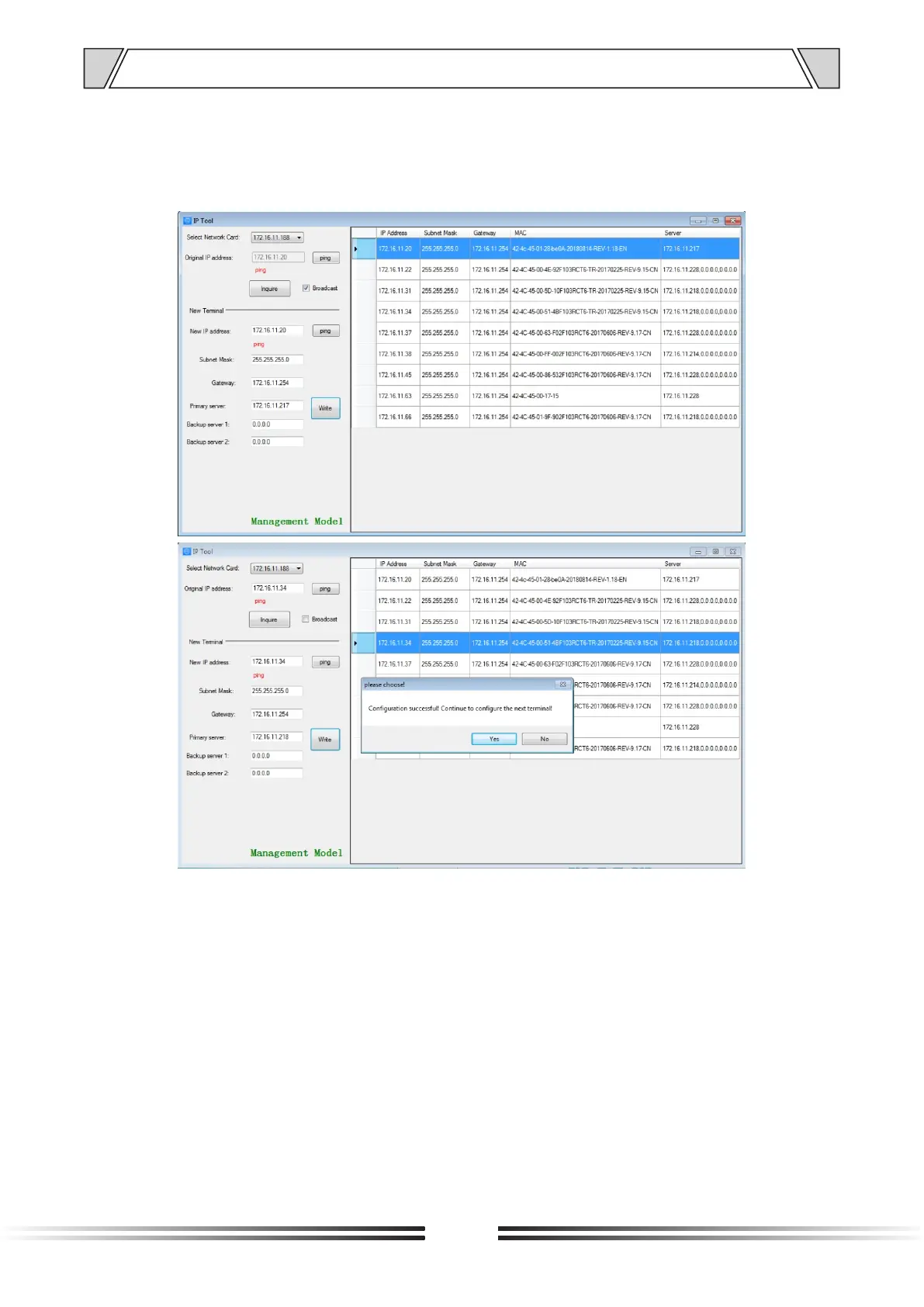
Step 5: If multiple terminals are in the same network segment, you only need to modify the
IP address of one terminal, it is needed to click on the terminal in the queried terminals list,
then cancel the choice of broadcast on the left interface, modify the IP address and click for
configuration.
Notes: If the terminal data can’t be queried or the network is blocked, the pop-up window will
say Reconfigure the IP address or IP adress writing error. In this case, please reconfigure
the network, check the network cable, and turn off the firewall, etc.
5. TERMINAL CONFIGURATION OPERATING INSTRUCTIONS


 To Next Page