8
5. TERMINAL CONFIGURATION OPERATING INSTRUCTIONS
The terminal needs to be configured before installation, before installation, need make a
installation plan including terminal name, terminal IP address, gateway IP address, server IP
address, location of terminal installation, and label the information on the terminal to ensure
the convenient use of the device. Please save the plan as an electronic document for future
maintenance. After the system planning is completed, please configure parameters of each
terminal includes “terminal IP address, subnet mask, gateway and server address”.
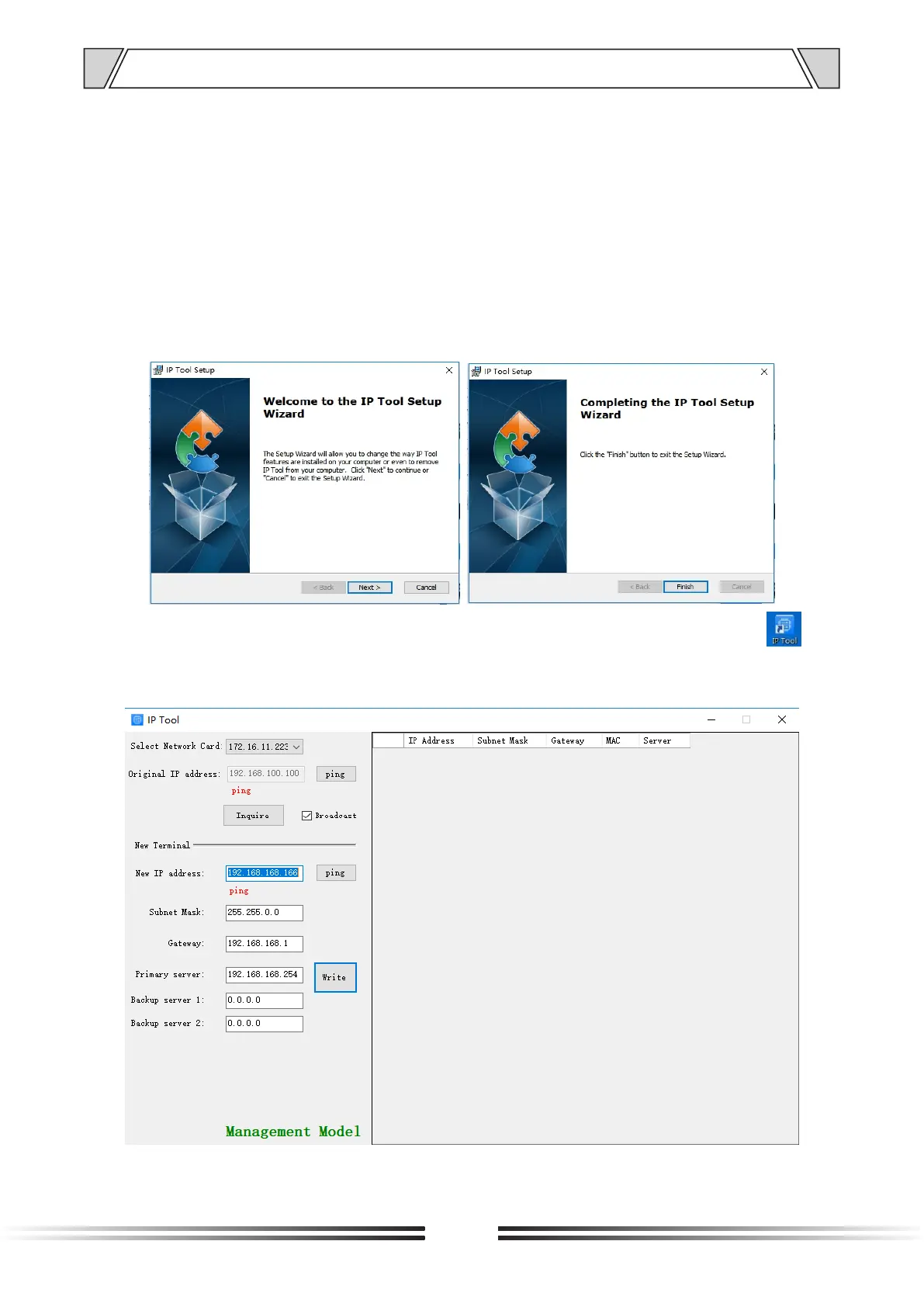
1.Installing software. Find the IP network broadcast system software installation package,
double-click to open it, click on the program “terminal configuration tool”, after the installation
of the program is completed, as shown below:
2.After the program is installed, a icon is generated on the desktop, as shown below:
3.Double-click the icon to run, and the “terminal configuration tool” window will pop up, as
shown below:


 To Next Page