Installation of the PC player
You can play back the recorded video and audio data on a PC via the ITB PC player supplied by
the manufacturer. This PC player program is designed to run best in Windows XP, Windows Vista,
and Windows 7 (32 bit).
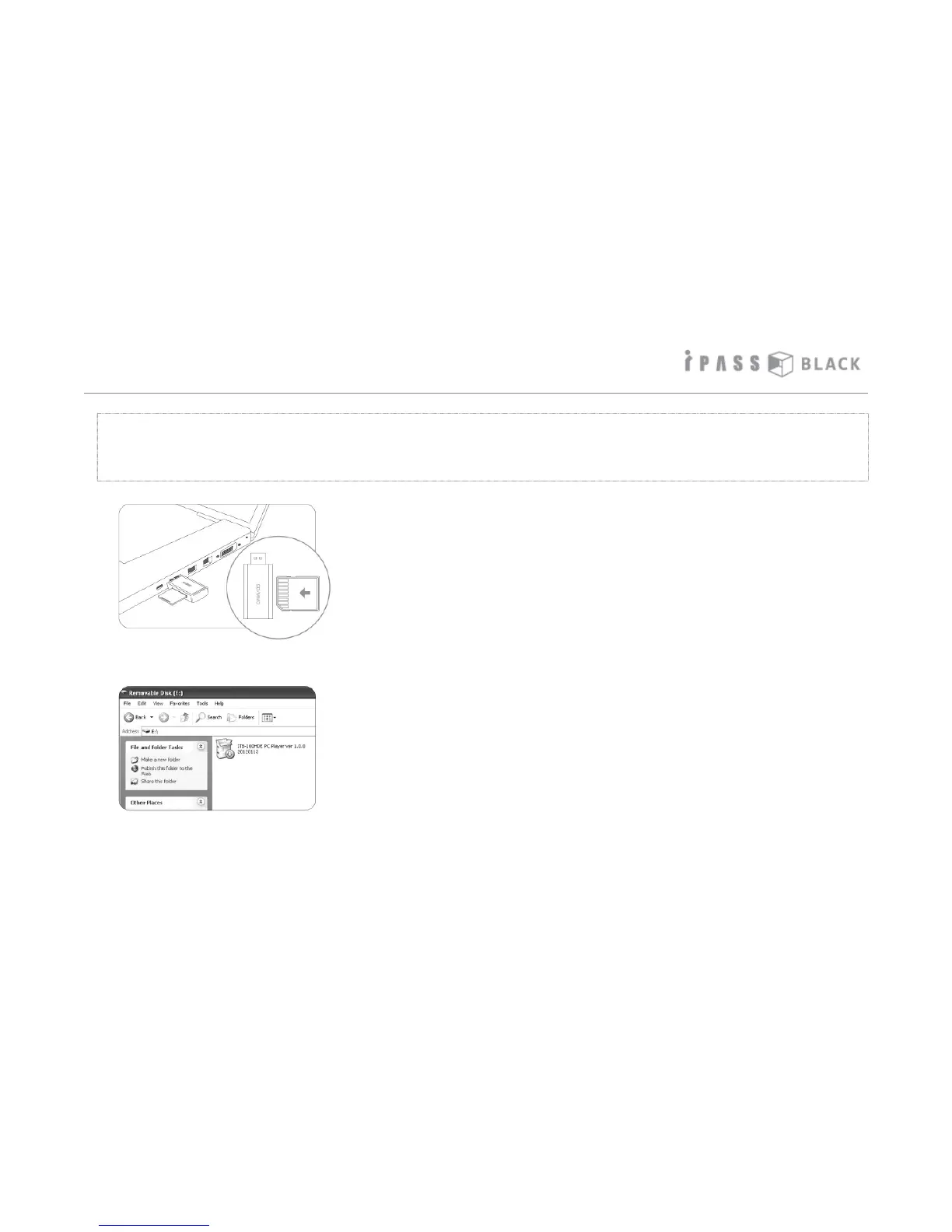
1. Pull out the SD memory card from the main unit and insert
it into the memory card reader as shown on the left picture.
Then put the memory card reader into the USB port of the
PC.
2. If you have not yet inserted your SD card into the recording
device. Please proceed to insert the SD card into your PC
before doing so.
3. Search the USB disc and double click the installer file stored
in the SD memory card.
4. If there is no installation file on your SD card, contact your
product supplier for the installation file.
19



 To Next Page