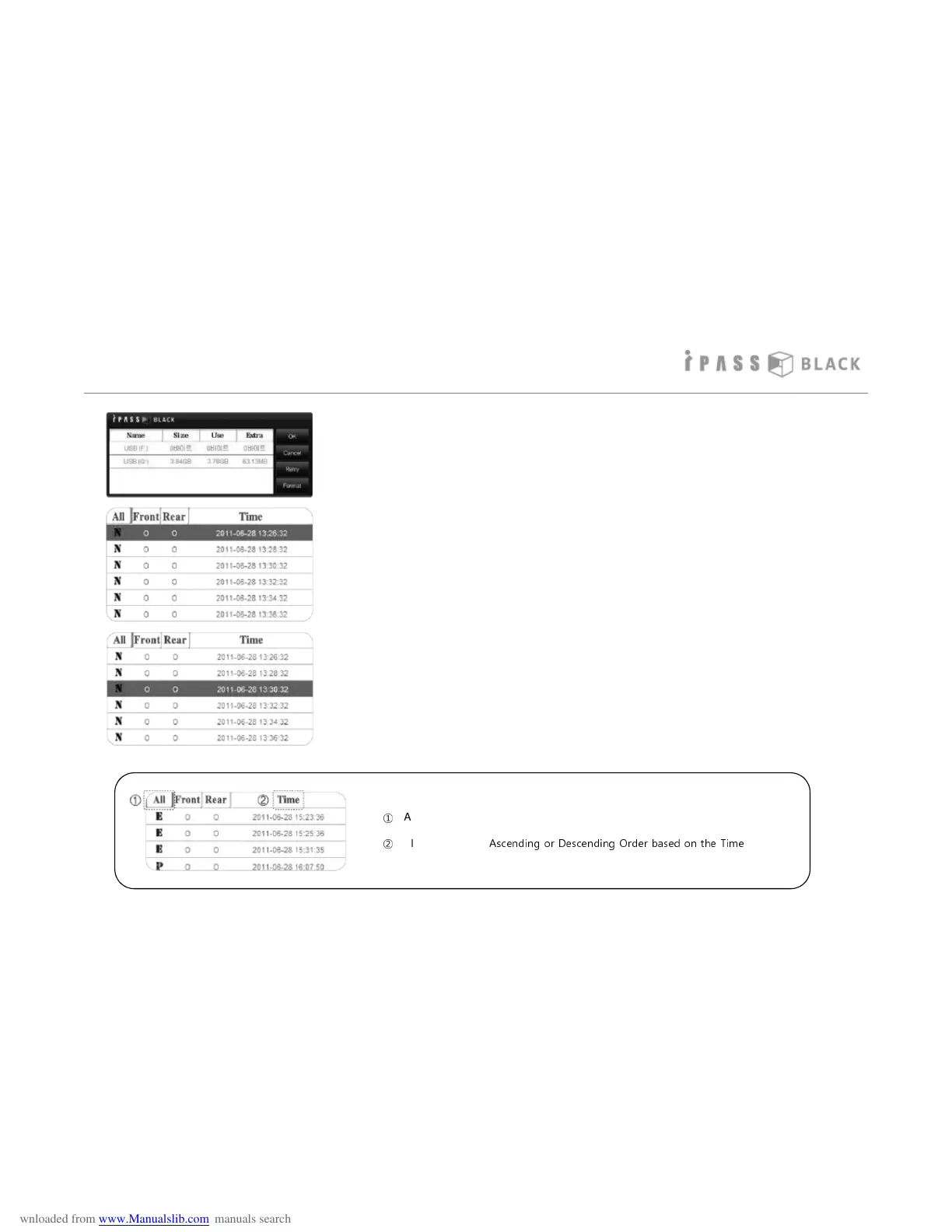
4. If no footage is shown straight away. Firstly try to
select the appropriate SD memory card and click
the OK button. If no footage is shown, please
check to make sure data has been recorded onto
the SD memory card
5. All files on the SD memory card will be loaded
onto the right window and will playback one by
one in the sequential order of recording date
and time (oldest comes first).
6. You can select which file you wish to play by
clicking on it directly.
How to play the Video
22
* You can sort the Recorded Files by clicking List Menu in the top part of file list.
①
Align the Files by 4 types as per recorded status.
(Status: All/Shock/Parking/Normal Mode)
②
Align the Files by
Ascending or Descending Order based on the Time



 To Next Page