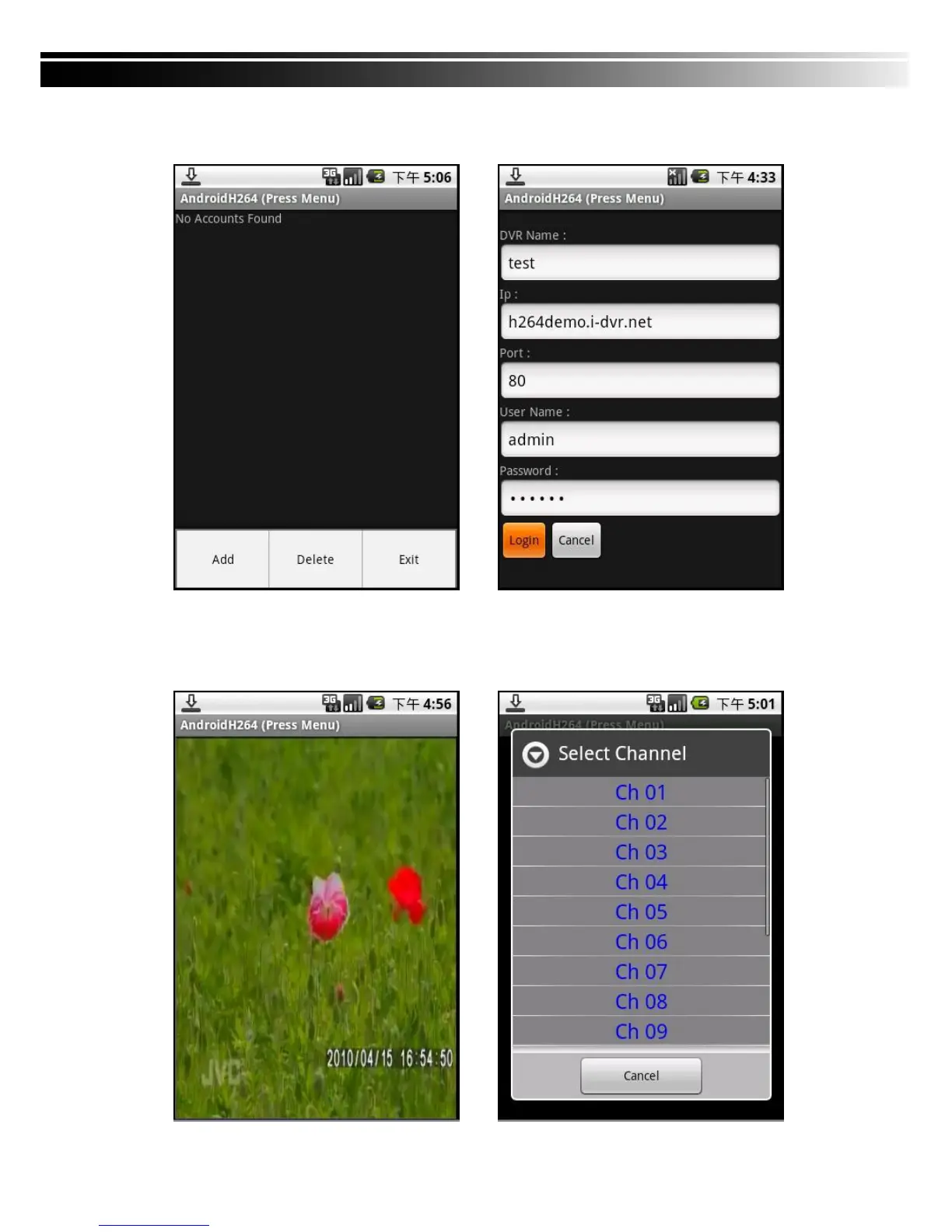
Step 5: Click "Menu" → Add new DVR Name, IP location, Port, User name and Password, enter
the complete click Login.
Step 6: Wait for a moment that will occur real-time video
(according to the actual network speed, connection time needed may vary).
Click the top "AndroidH264 (Press Menu)" Department to switch channels.


 To Next Page