APPENDIXⅢ Remote Monitoring IE ActiveX Control
Installation Instruction
When using IE for remote monitoring for the first time, IE ActiveX Control is needed to be
downloaded.
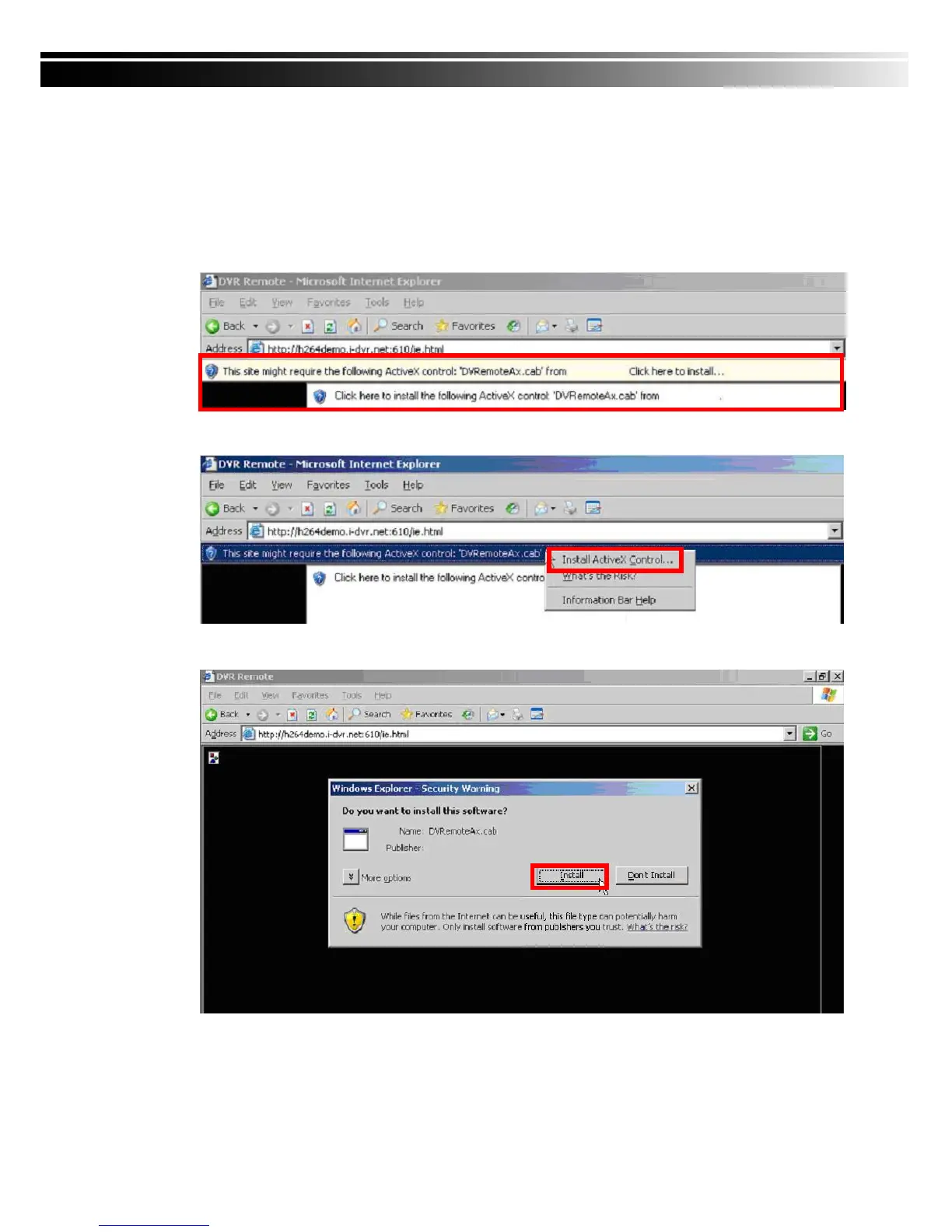
1. When remote monitoring on IE for the first time, an alert message occurs “Install ActiveX
control” on the tool bar.
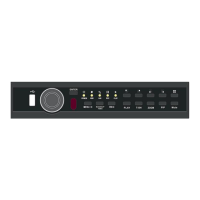
2. Click at this alert message and select “Install ActiveX Control”
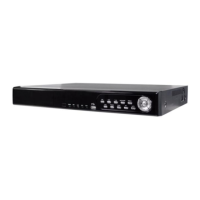
3. “Do you want to install this software” alert pops up. Select “Install”


 To Next Page