1-2 Hard Disk Installation
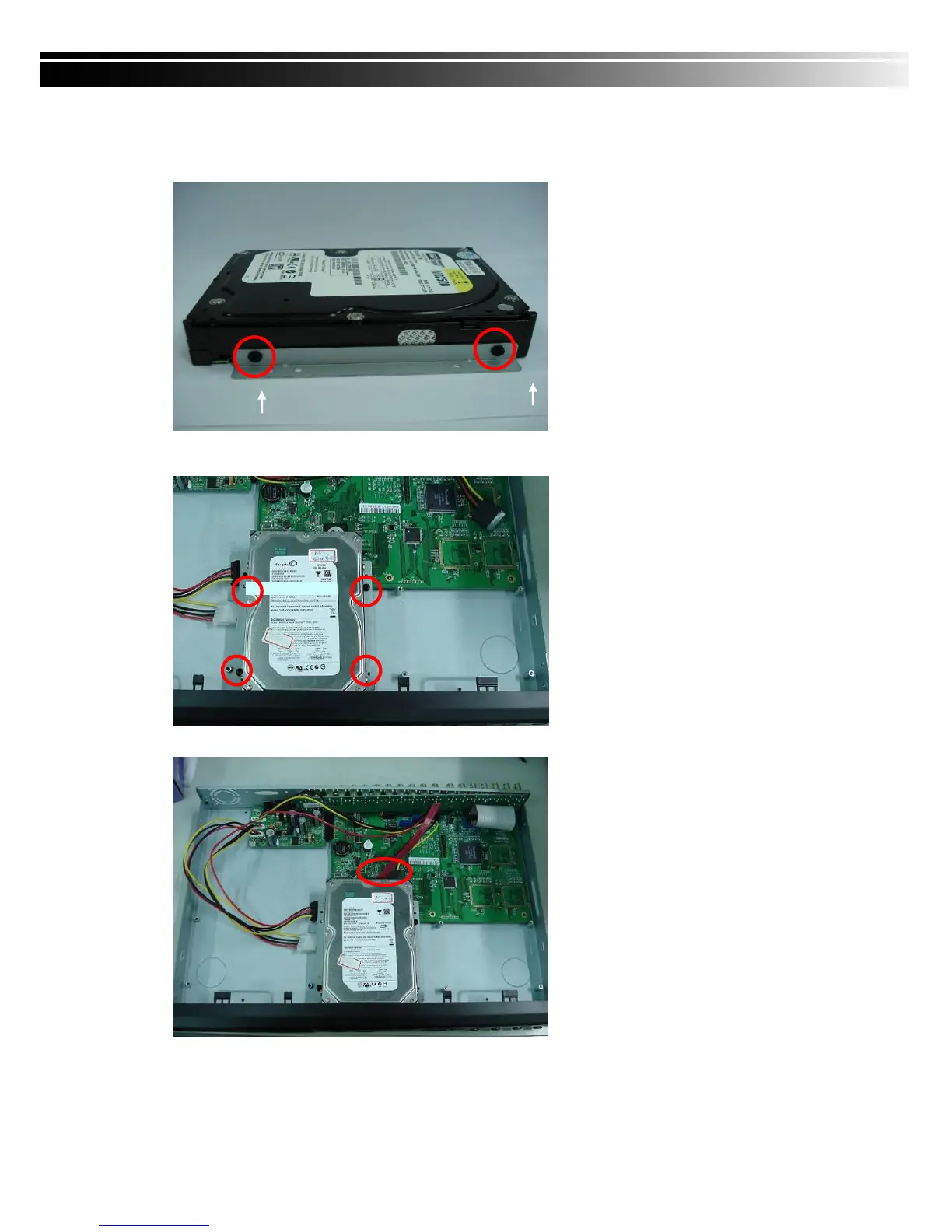
Step 1) Fix the HDD to rack mount with the screws as indicated.
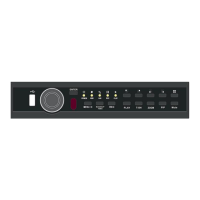
Step 2) Place the HDD on the HDD plate and screw it as indicated.
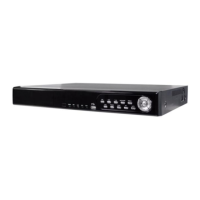
Step 3) Connect the power and the SATA cables as indicated.
Note: After installation, please initialize Hard Disk before starting to record. For more detailed
information, please check out User Manual 4-9 System Tools for reference.


 To Next Page