9-6.10 Recording Data
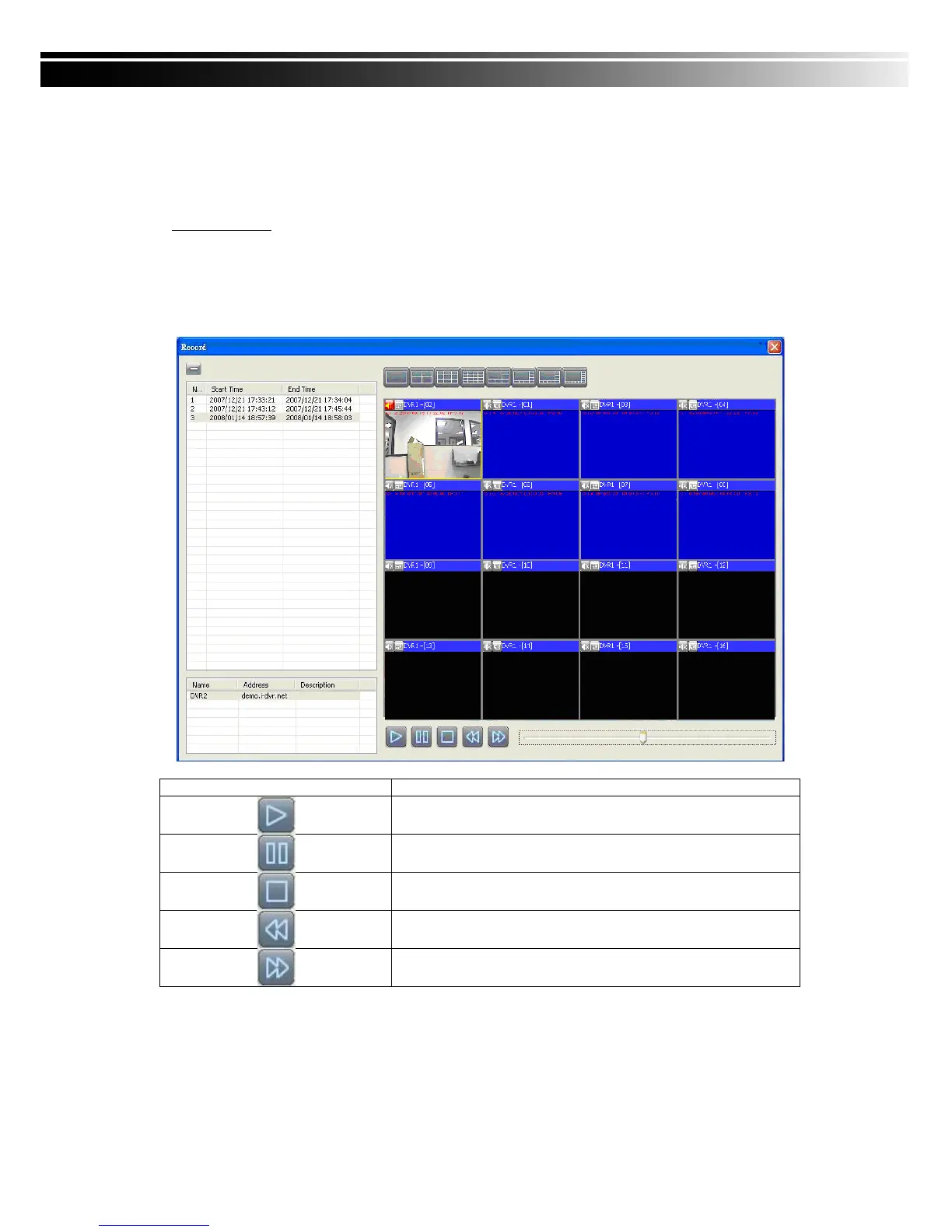
It can play all the recording files you‟ve recorded in line in “Recording Data”. You can play or
delete them here.
Steps to follow:
1. Choose the recording time at upper left corner, it will be played on the main display.
2. You can choose the display mode.
3. Time bar will be shown at right lower corner, please drag the time bar to specify
the recording time you‟d like to play.


 To Next Page