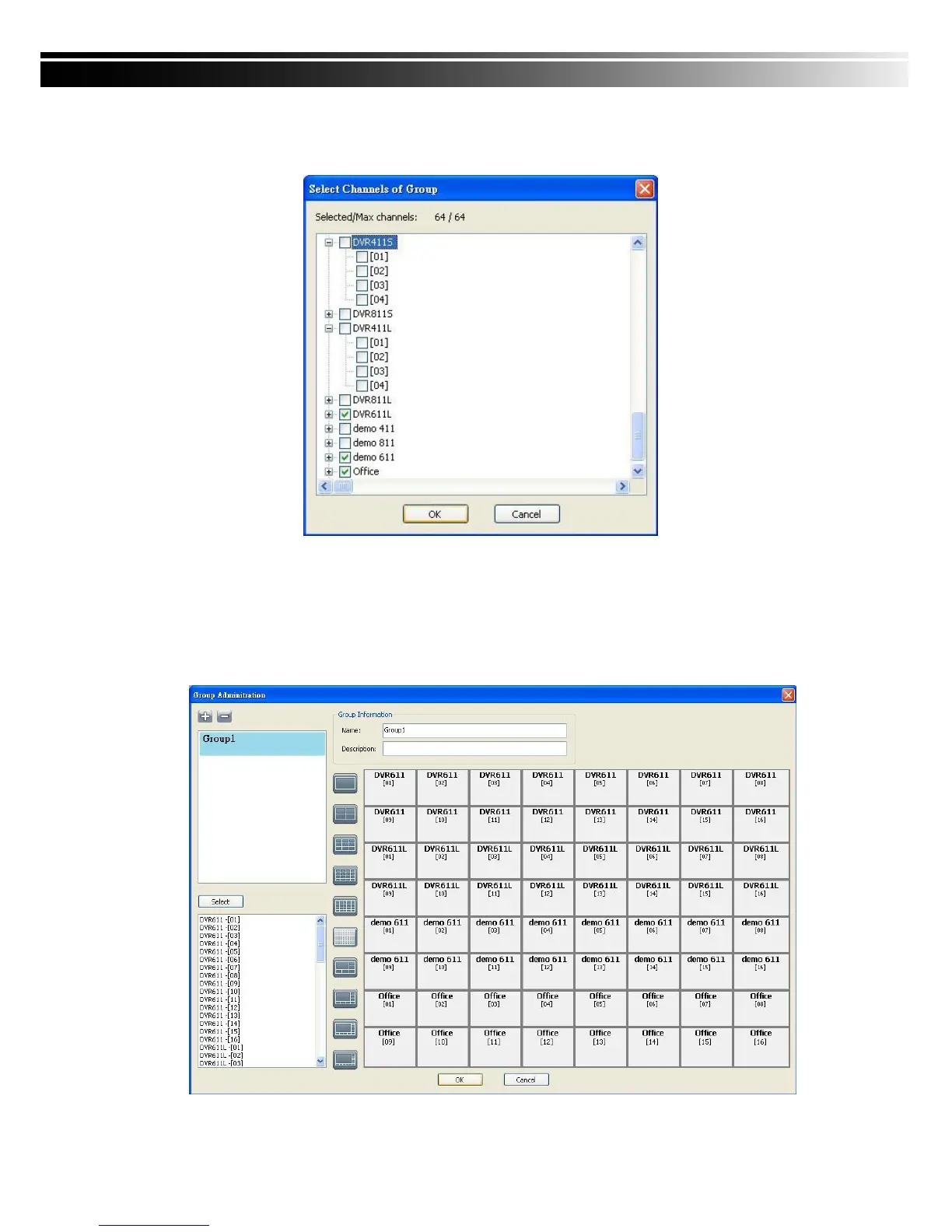
3. Check the specific channels that you‟d like them to be included in the group. To include all
channels of a DVR, just check the DVR.(1 Group up to select 64 camera)
4. Click “OK” to return to the previous window.
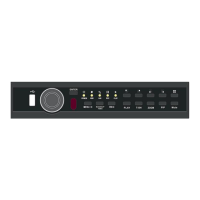
5. Select a display mode.
6. Drag a channel from the lower left panel into the main display to a preferred location. Or,
change the channel location in the main display by mouse dragging.
7. You can „Select’ again to add other channels, but the un-saved channel locations will be
lost.
8. Click “OK” to save the setup.


 To Next Page