EasyManua.ls Logo

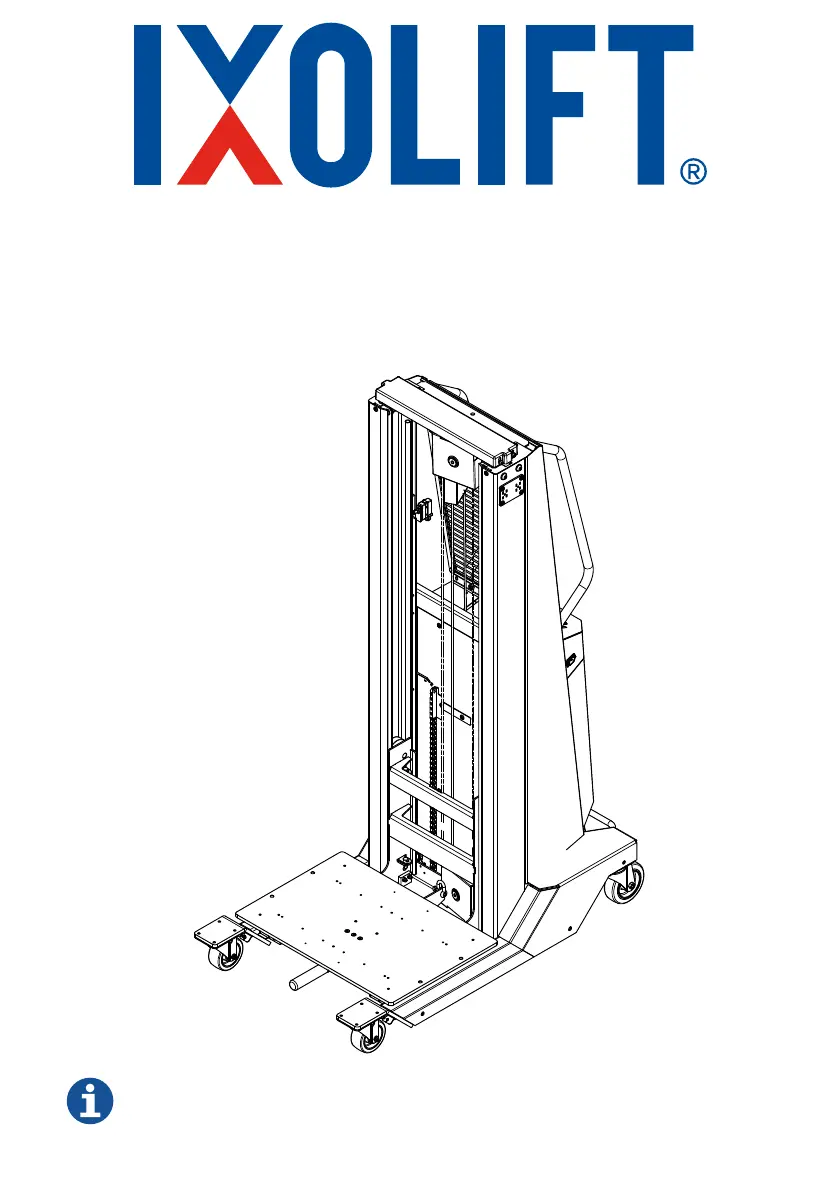
IXOLIFT DataLift 250 - User Manual

IXOLIFT DataLift 250
22 pages
Print Icon
To Next Page IconTo Next Page
Loading...
OPERATING MANUAL
DataLift 250
Please read this manual before using the product and follow the instructions it contains

Questions and Answers

  • T
    Tracy GreerAug 14, 2025
    What to do if my IXOLIFT DataLift 250 Lifting Systems has no response?
    • M
      Maria PowellAug 15, 2025
      If your IXOLIFT Lifting System is not responding, several factors could be at play. First, check if the fuse is out and replace it if necessary. Ensure the main switch is enabled. Inspect the remote cable for any damage and replace the remote control if it's broken. Also, verify that the emergency stop button is properly reset by pulling the emergency reset button. If these steps don't resolve the issue, the winch motor or the controller might be broken, requiring replacement.
  • D
    Derrick WilliamsAug 17, 2025
    Why does my IXOLIFT DataLift 250 lift only a few seconds then stops?
    • A
      Andrea JonesAug 17, 2025
      If your IXOLIFT Lifting System lifts for only a few seconds and then stops, the issue could stem from either an overload or a depleted battery. Try unloading ballast to reduce the load. If that doesn't solve the problem, charge the battery fully.
  • J
    Jason WallerAug 21, 2025
    What to do if my IXOLIFT DataLift 250 is not lifting?
    • A
      andrew17Aug 21, 2025
      If your IXOLIFT Lifting System is not lifting, it could be due to reaching the top limit. In this case, lower the table. Alternatively, there might be a collision on the top sensor. Check the top sensor and lower the system before attempting to lift it again.
  • J
    Jordan ThompsonAug 25, 2025
    Why is my IXOLIFT DataLift 250 suddenly lifting?
    • P
      Paula ParkAug 25, 2025
      If your IXOLIFT Lifting System is suddenly lifting, it may be due to a broken spiral cable of the remote or a broken controller. Remove the main switch key and replace the remote control before starting again. If the issue persists, replace the controller.
  • B
    butlerjoshuaAug 28, 2025
    How to troubleshoot IXOLIFT DataLift 250 Lifting Systems that is not charging?
    • G
      gary89Aug 28, 2025
      If your IXOLIFT Lifting System is not charging, the issue might be a fault in the cable or grid connection, or the charger fuse may be out. Check the LEDs on the charger. If the LEDs don't indicate a problem, replace the fuse.
  • M
    Mary GibsonAug 31, 2025
    What to do if my IXOLIFT Lifting Systems is not lowering?
    • C
      Christy HartAug 31, 2025
      If your IXOLIFT Lifting System is not lowering, it may be due to a collision with an obstacle. To resolve this, try lifting the system again and remove the obstacle.
  • K
    Kevin ThompsonSep 3, 2025
    Why is my IXOLIFT Lifting Systems lowering without action?
    • N
      Nichole BryantSep 3, 2025
      If your IXOLIFT Lifting System is lowering without any action, it is probably caused by a worn winch brake. The suggested solution is to replace the winch.
  • G
    Garrett ThompsonSep 7, 2025
    How to fix IXOLIFT Lifting Systems when the brake does not work?
    • J
      Joshua LongSep 7, 2025
      If the brake on your IXOLIFT Lifting System does not work, it could be due to broken bolts, a worn brake pad, or a worn tire. Replace the connection bolt from the foot lever to the axle if the bolts are broken. If the brake pad or tire is worn, replace the wheel and bracket.
  • E
    Elizabeth SmithSep 10, 2025
    What to do if the locking mechanism of my IXOLIFT Lifting Systems does not work?
    • C
      carmen16Sep 10, 2025
      If the locking mechanism on your IXOLIFT Lifting System does not work, it could be due to a stuck bowden cable or a damaged locking bolt/clevis. Remove any dirt and check the cables. If the locking bolt or clevis is damaged, adjust or replace it.

Summary

Introduction

General Usage

This product is built for data centres to handle IT devices. Inspect the unit before operation, damaged units are not to be used.

Safety Instructions

Read the warning signs on the DataLift and instructions in this manual before use. Do no operate the DataLift unless you are familiar with it and trained to do so.

General

Safety Instructions

Overview of Main Components

Use of the Product

General

Only use on level surface and never go under the load. Always follow the safety instructions of this manual.

Lifting and Lowering

The DataLift is switched on with the main switch (5). Please always switch off when the unit is not in use.

Movement of the Platform

The table handle (17) moves the platform table to the right and left. Move the table handle downwards to unlock the platform and move the table platform.

Brake

Directional Lock

Battery Indicator

Accessories

Stickers

Identification

Product Data

In Case of Emergency

Safety Parts and Warning Signs

Unpacking, Transportation and Storage

Fixing & Lifting Points

The DataLift is fitted with 4 fixing points for transport and one lifting point. Only use correct screws and lifting tabs.

Unpacking

Storage

Transportation

Maintenance

Opening of the Back Cover

Park the DataLift safely, lock the position with the brake (8) and switch off the main switch (5). Loosen the 4 screws on the back cover, remove the back cover.

Daily Operational Inspection and Maintenance

Checklist for Maintenance; Inspection

Battery

Charging the Battery

Only charge the battery in well ventilated places! The DataLift should be charged after each use and in best case it is always connected to power when not in use.

Replacement of the Battery

Only qualified personnel should repair the battery. Battery recycling must comply with local laws and regulations.

Fuse

Troubleshooting

Spare Parts

Warranty

UK Declaration of Conformity

EC Conformity Certificate

IXOLIFT DataLift 250 Specifications

General IconGeneral
BrandIXOLIFT
ModelDataLift 250
CategoryLifting Systems
LanguageEnglish

Related product manuals