Need help?
Do you have a question about the Izzo Golf Swami and is the answer not in the manual?
Details technical specifications like courses stored, battery life, display size, and water resistance.
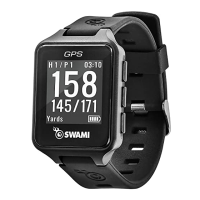
Lists the items included with the Swami watch package, such as USB cable and charging station.
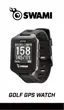
Explains the watch screen layout, buttons, and key functions for navigation and operation.
Instructions on how to turn the device on and off, and activate the backlight.
Guide on initiating golf play, finding satellites, selecting a course, and starting a round.
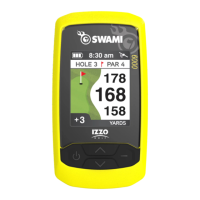
Details the primary screen showing distances to the green and hole information.
Instructions on how to measure the distance of a golf shot using the device.
How to use the watch to record golf scores and pars for each hole and the total round.
Instructions for utilizing the device's odometer function to track distances covered.
Steps to mark the front, center, and back points of a golf green for accurate yardage.
Procedures for completing a golf round and returning to the main menu.
Guide for setting and managing the watch's alarm functions, including hours and minutes.
How to choose between 12-hour and 24-hour time display settings.
Instructions for setting the watch time, either automatically via GPS or manually.
How to enable or disable the daylight saving time feature to adjust the clock.
How to select the preferred format for displaying the date (e.g., DD-MM-YY).
Steps to set the current date (year, month, day) on the watch interface.
How to change the display language of the watch interface.
How to switch measurement units between yards and meters for golf distances.
Adjusting backlight settings such as duration and activation for better visibility.
Instructions for turning the button click sound on or off.
How to invert screen colors between black and clear backgrounds.
 General
| Type | GPS Golf Watch |
|---|---|
| Distance to Front, Center, Back of Green | Yes |
| Distance to Hazards and Doglegs | Yes |
| Digital Scorecard | Yes |
| Auto Course Recognition | Yes |
| Auto Hole Advance | Yes |
| Shot Distance Measurement | Yes |
| Odometer | Yes |
| Water Resistance | Yes |
| Battery Life | Up to 30 days (watch mode) |
| Battery Life (GPS Mode) | 10-12 hours |

 To Next Page